win10提升无网络访问权限,网络连接变成地球图标 #2007

Closed
opened 2026-03-04 01:42:13 -05:00 by deekerman · 12 comments
Owner

Originally created by @lihaojie87 on GitHub (Oct 7, 2020).

adguard home已经配置正确并能够正常上网,但是win10连接图标变成
image这个样子。
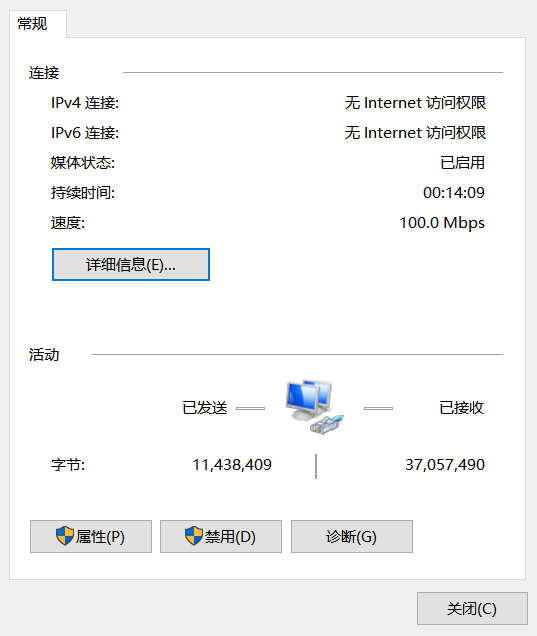
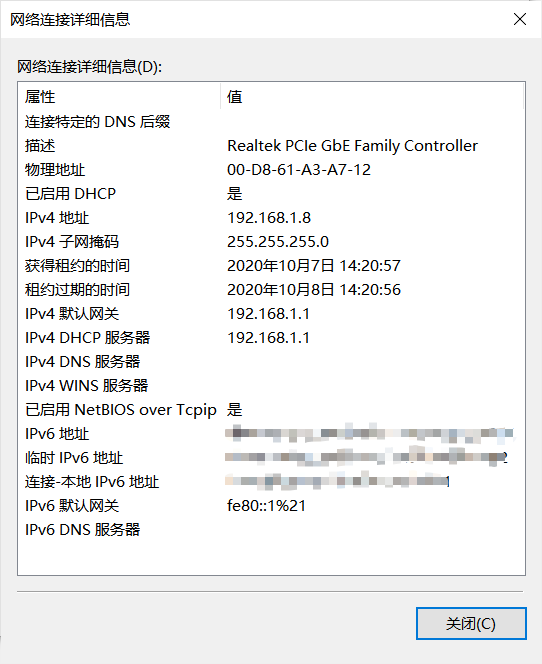
本地网卡配置如图
image
image
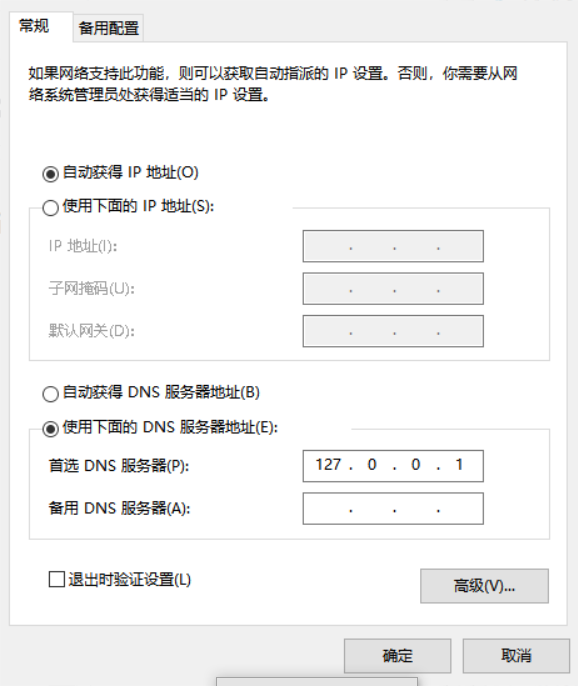
ipv4设置:
image
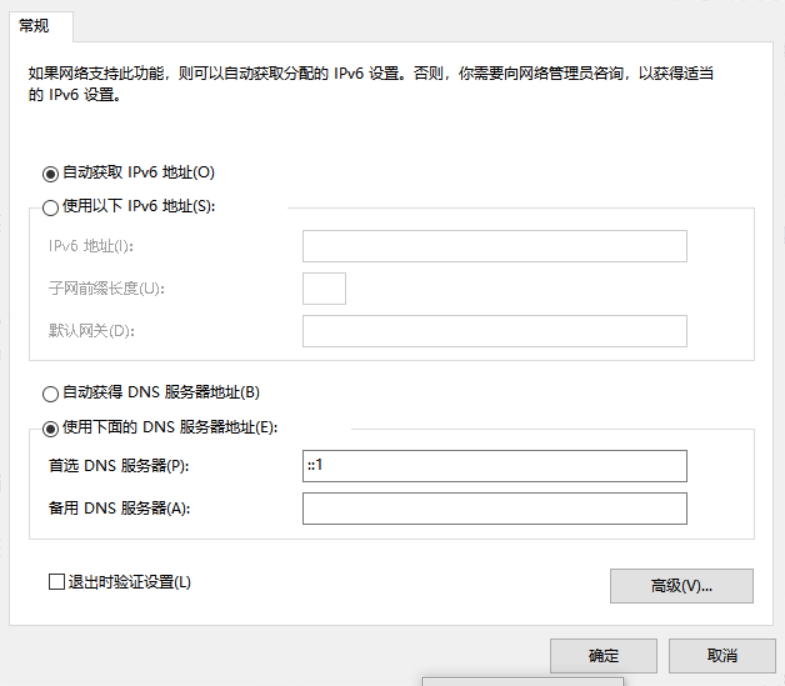
ipv6设置
image
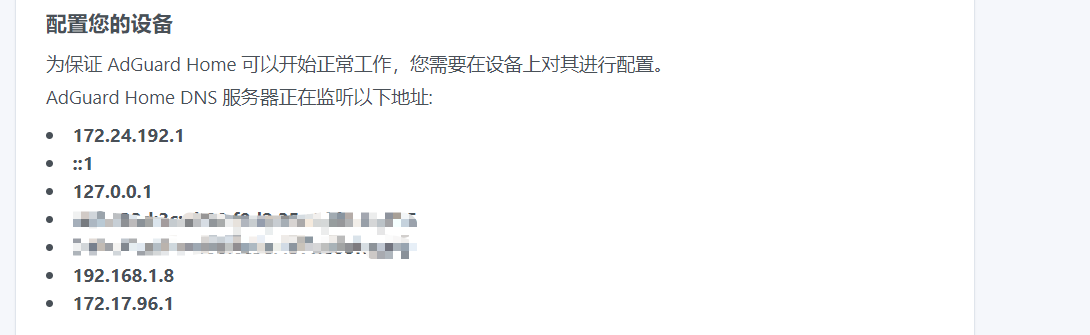
adguard home配置指导
image

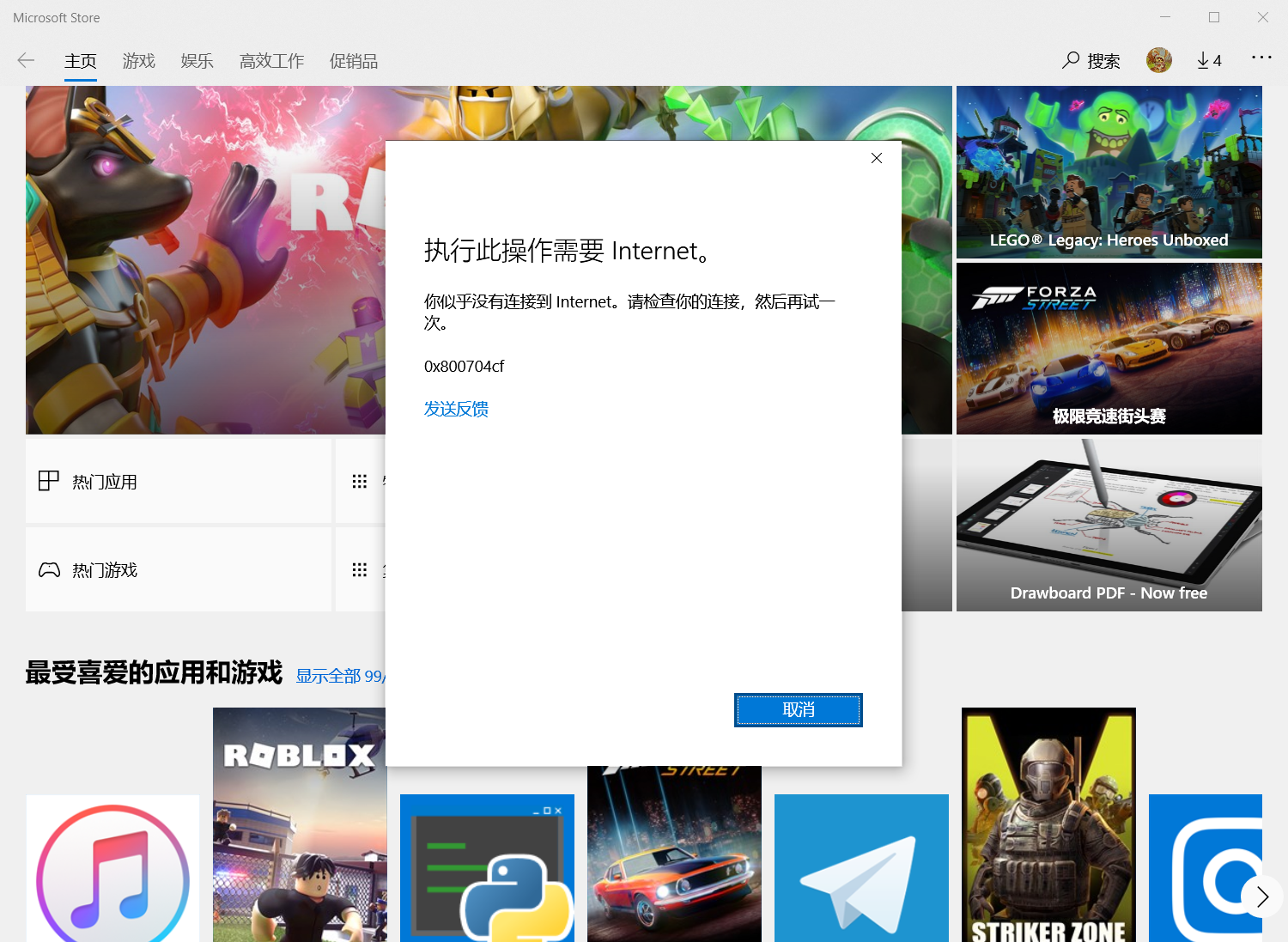
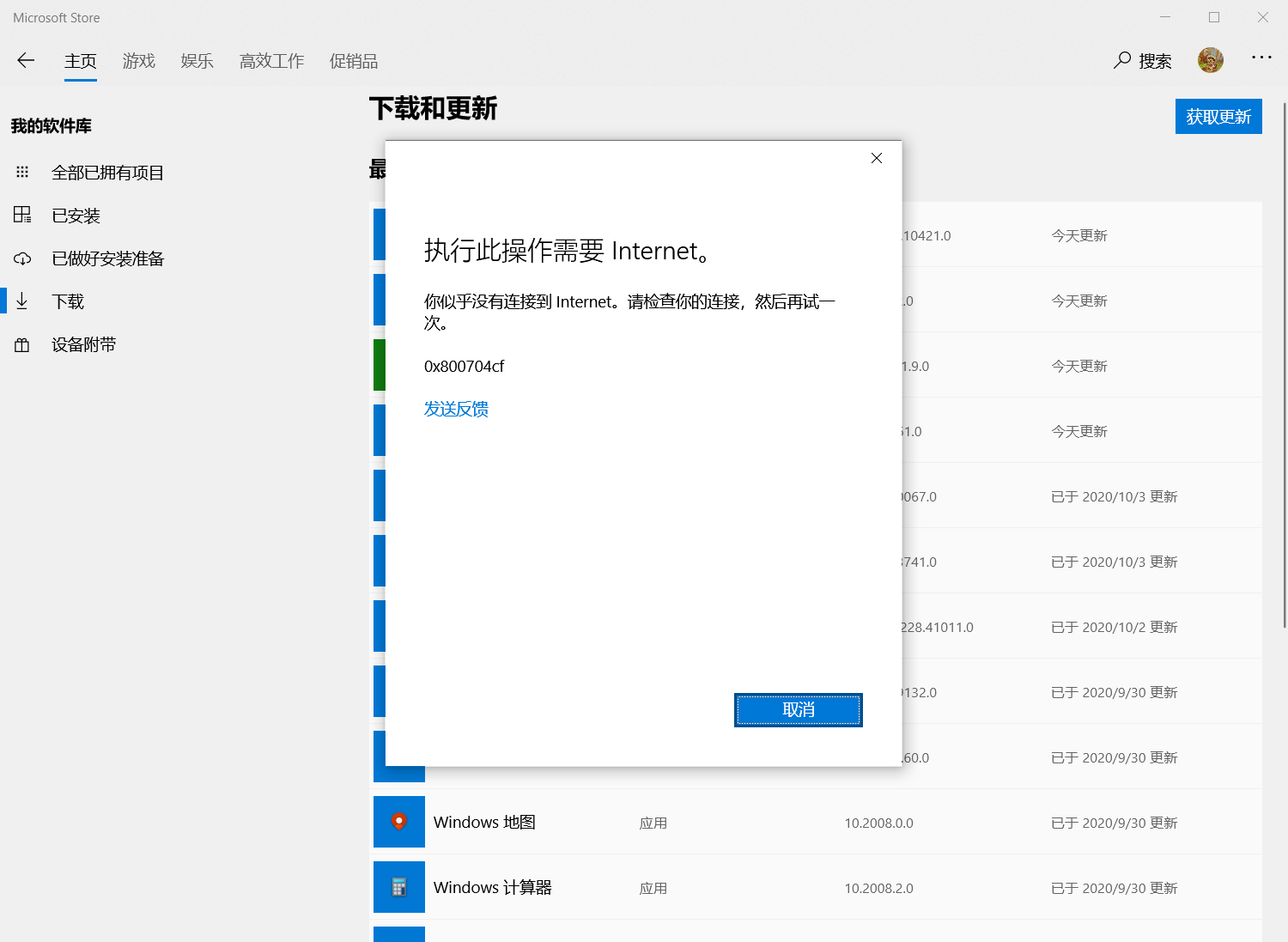
经过测试,win10可以正常浏览网页,但是在使用office和Windows10 的商店及网络账户时会出现无网络连接的提醒,如图:
微软自带商店
image
office套件
image
请问该如何解决呢?

Originally created by @lihaojie87 on GitHub (Oct 7, 2020). adguard home已经配置正确并能够正常上网,但是win10连接图标变成 ![image](https://user-images.githubusercontent.com/50283726/95295502-cc98e700-08a9-11eb-979f-125397e57b73.png)这个样子。 本地网卡配置如图 ![image](https://user-images.githubusercontent.com/50283726/95295804-50eb6a00-08aa-11eb-9e28-ef72e4a6bb91.png) ![image](https://user-images.githubusercontent.com/50283726/95295848-619be000-08aa-11eb-91d8-a2daf46c1637.png) ipv4设置: ![image](https://user-images.githubusercontent.com/50283726/95295887-6c567500-08aa-11eb-8749-2daa6902b1a9.png) ipv6设置 ![image](https://user-images.githubusercontent.com/50283726/95295904-74161980-08aa-11eb-8a27-ab101aae1607.png) adguard home配置指导 ![image](https://user-images.githubusercontent.com/50283726/95296052-b3446a80-08aa-11eb-9191-7b295e11076c.png) 经过测试,win10可以正常浏览网页,但是在使用office和Windows10 的商店及网络账户时会出现无网络连接的提醒,如图: 微软自带商店 ![image](https://user-images.githubusercontent.com/50283726/95295640-09fd7480-08aa-11eb-9c22-33c71d2137e2.png) office套件 ![image](https://user-images.githubusercontent.com/50283726/95295714-2dc0ba80-08aa-11eb-97aa-3fae6b22ffd5.png) 请问该如何解决呢?
deekerman 2026-03-04 01:42:13 -05:00
Author
Owner

@Aikatsui commented on GitHub (Oct 7, 2020):

adguard home已经配置正确并能够正常上网,但是win10连接图标变成

這不成問題

经过测试,win10可以正常浏览网页,但是在使用office和Windows10 的商店及网络账户时会出现无网络连接的提醒,如图:
微软自带商店

它可能會受到封鎖清單. 檢查查詢記錄

@Aikatsui commented on GitHub (Oct 7, 2020): >adguard home已经配置正确并能够正常上网,但是win10连接图标变成 這不成問題 >经过测试,win10可以正常浏览网页,但是在使用office和Windows10 的商店及网络账户时会出现无网络连接的提醒,如图: 微软自带商店 它可能會受到封鎖清單. 檢查查詢記錄
Author
Owner

@lihaojie87 commented on GitHub (Oct 7, 2020):

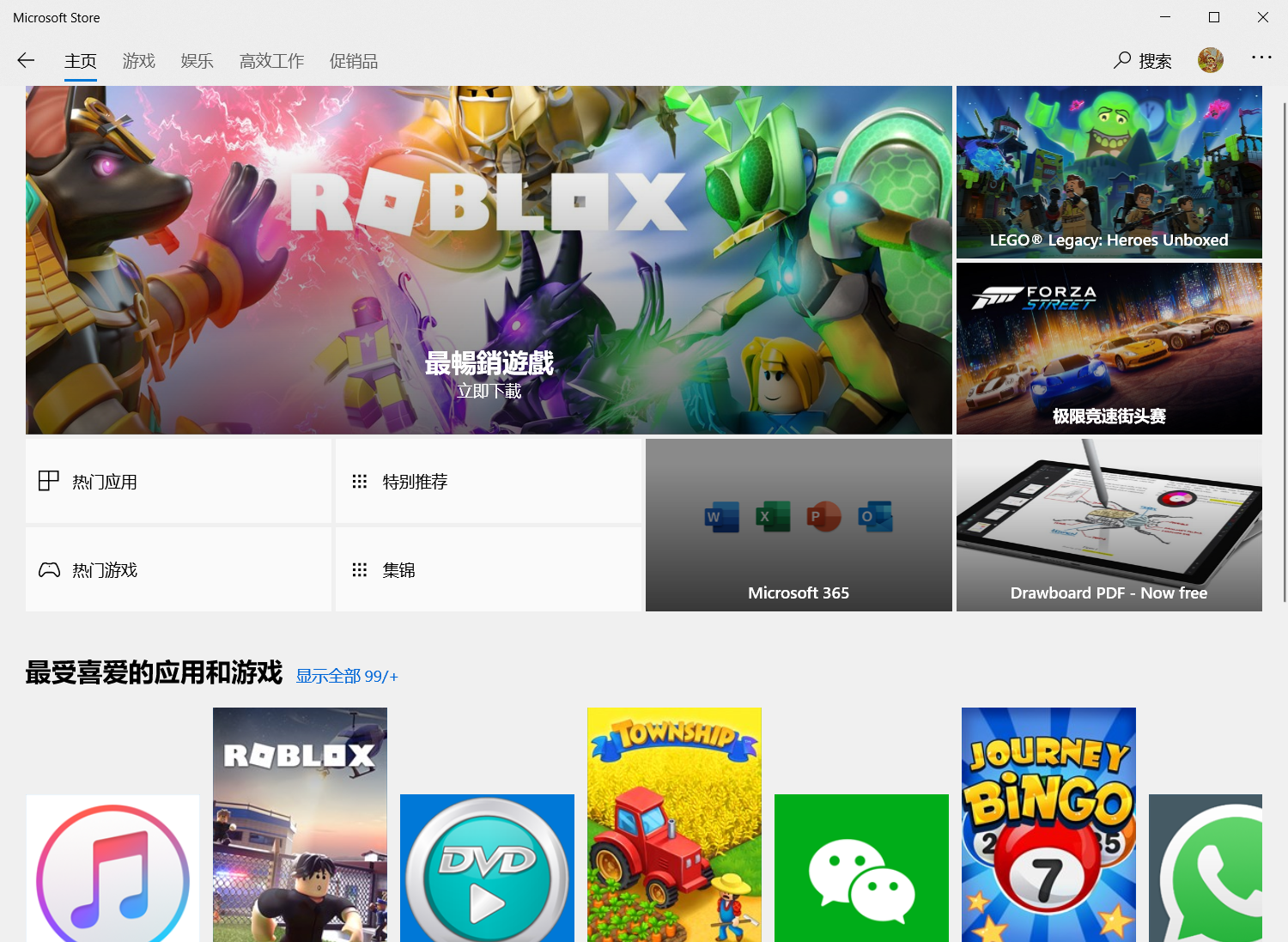
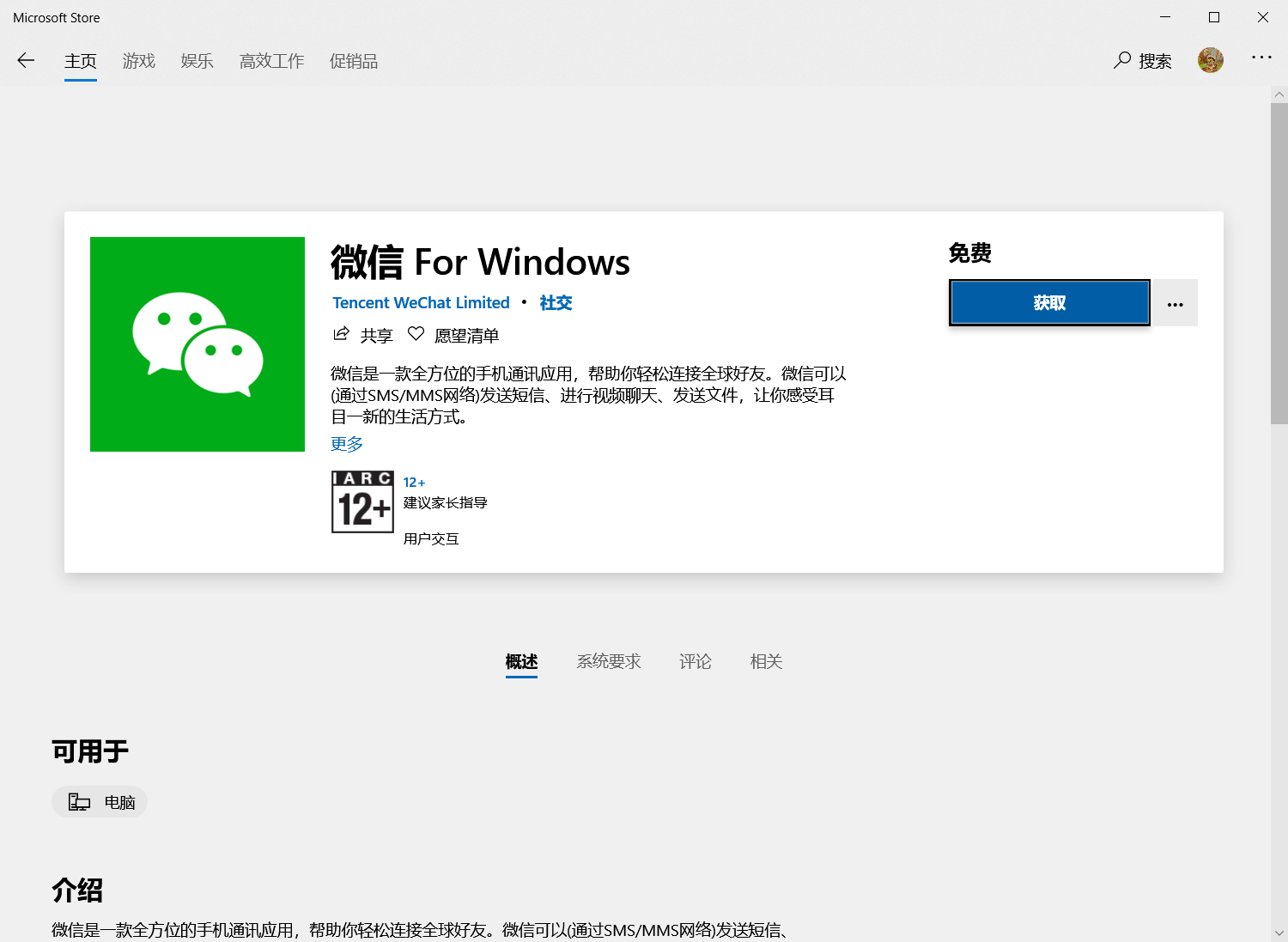
查询记录里面并没有封锁微软商店的dns查询,微软商店的主页是可以访问的,里面的项目界面也是可以进入并正常加载的,但是点击下载与更新时会出现无Internet连接的提示,好像只有账户的登录被影响。
这些都是正常的
image
image
但涉及到下载时会报无Internet连接
image
image
而且刷新dns查询日志时日志没有发生变化,上述两个情况没有并发出dns申请
封锁清单全部取消还是无法正常访问

@lihaojie87 commented on GitHub (Oct 7, 2020): 查询记录里面并没有封锁微软商店的dns查询,微软商店的主页是可以访问的,里面的项目界面也是可以进入并正常加载的,但是点击下载与更新时会出现无Internet连接的提示,好像只有账户的登录被影响。 这些都是正常的 ![image](https://user-images.githubusercontent.com/50283726/95325458-d20b2700-08d3-11eb-8fc3-d4a32174dbcf.png) ![image](https://user-images.githubusercontent.com/50283726/95325527-e9e2ab00-08d3-11eb-8e89-68dbdc0fef7c.png) 但涉及到下载时会报无Internet连接 ![image](https://user-images.githubusercontent.com/50283726/95325611-0b439700-08d4-11eb-80c0-566746ef2fc0.png) ![image](https://user-images.githubusercontent.com/50283726/95325662-1bf40d00-08d4-11eb-91c7-6e8155af8d6b.png) 而且刷新dns查询日志时日志没有发生变化,上述两个情况没有并发出dns申请 封锁清单全部取消还是无法正常访问
Author
Owner

@Aikatsui commented on GitHub (Oct 7, 2020):

也許 檢查其他 https://kb.adguard.com/en/general/dns-providers

@Aikatsui commented on GitHub (Oct 7, 2020): 也許 檢查其他 https://kb.adguard.com/en/general/dns-providers
Author
Owner

@ameshkov commented on GitHub (Oct 8, 2020):

请检查AdGuard的查询日志,你看在这里什么请求?

@ameshkov commented on GitHub (Oct 8, 2020): 请检查AdGuard的查询日志,你看在这里什么请求?
Author
Owner

@lihaojie87 commented on GitHub (Oct 8, 2020):

当在微软商店我重复点击下载或者更新时,刷新查询日志并没有出现新的dns请求

请检查AdGuard的查询日志,你看在这里什么请求?

@lihaojie87 commented on GitHub (Oct 8, 2020): 当在微软商店我重复点击下载或者更新时,刷新查询日志并没有出现新的dns请求 > 请检查AdGuard的查询日志,你看在这里什么请求?
Author
Owner

@ghost commented on GitHub (Oct 8, 2020):

需要enableloopback,UWP应用默认不会连接还回地址

@ghost commented on GitHub (Oct 8, 2020): 需要enableloopback,UWP应用默认不会连接还回地址
Author
Owner

@lihaojie87 commented on GitHub (Oct 8, 2020):

需要enableloopback,UWP应用默认不会连接还回地址

uwp联网正常,微软商店只有涉及到下载时会提示无网络连接,另外office套件也无法联网

@lihaojie87 commented on GitHub (Oct 8, 2020): > 需要enableloopback,UWP应用默认不会连接还回地址 uwp联网正常,微软商店只有涉及到下载时会提示无网络连接,另外office套件也无法联网
Author
Owner

@wxf26054 commented on GitHub (Oct 10, 2020):

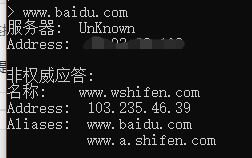
可以用 nslookup命令查看一下
nslookup www.baidu.com 127.0.0.1
正常返回值应该是这样
image
如果不是, 可能是ADG没有解析域名或者配置问题

@wxf26054 commented on GitHub (Oct 10, 2020): 可以用 nslookup命令查看一下 nslookup www.baidu.com 127.0.0.1 正常返回值应该是这样 ![image](https://user-images.githubusercontent.com/22016320/95667768-11b86400-0b9d-11eb-8361-0ab5eab52ffe.png) 如果不是, 可能是ADG没有解析域名或者配置问题
Author
Owner

@lihaojie87 commented on GitHub (Oct 13, 2020):

需要enableloopback,UWP应用默认不会连接还回地址

安装了enableloopback,但是情况没有改变

@lihaojie87 commented on GitHub (Oct 13, 2020): > 需要enableloopback,UWP应用默认不会连接还回地址 安装了enableloopback,但是情况没有改变
Author
Owner

@lihaojie87 commented on GitHub (Oct 13, 2020):

可以用 nslookup命令查看一下
nslookup www.baidu.com 127.0.0.1
正常返回值应该是这样
image
如果不是, 可能是ADG没有解析域名或者配置问题

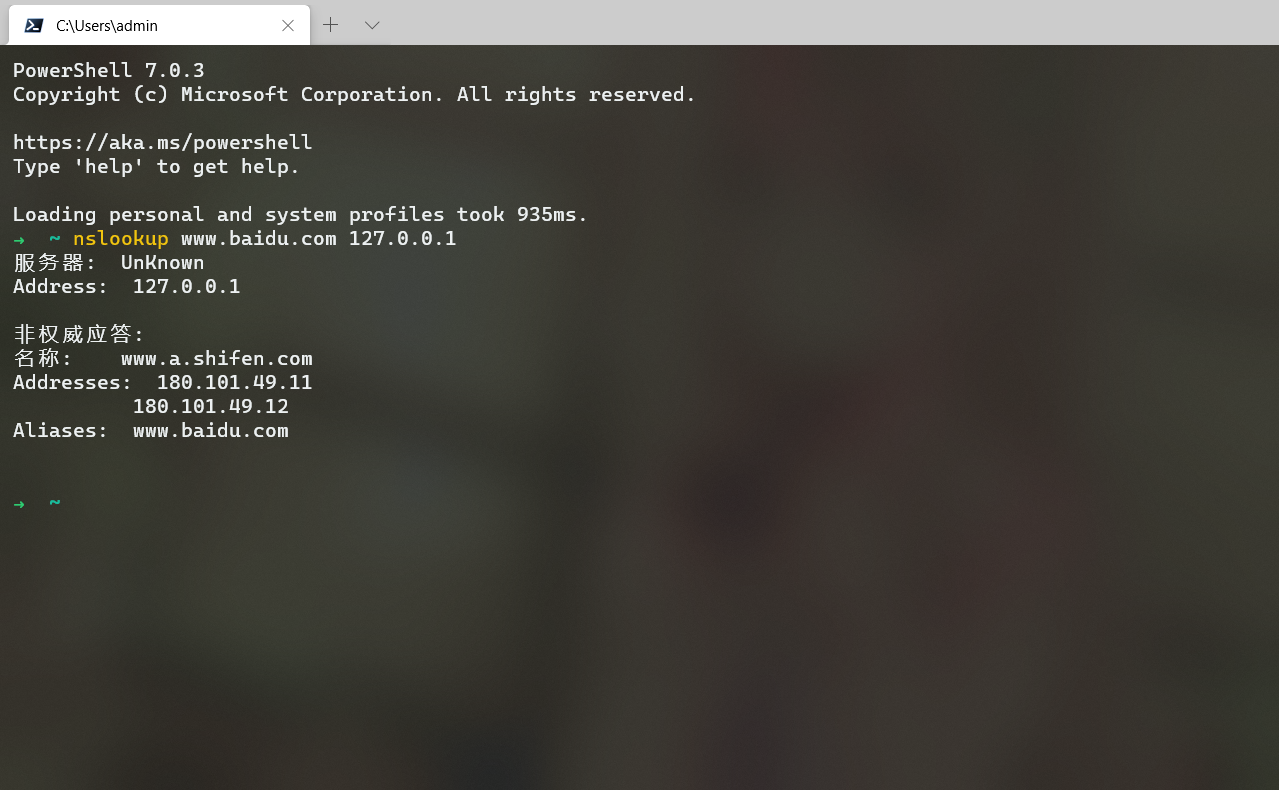
这个样子
image

@lihaojie87 commented on GitHub (Oct 13, 2020): > 可以用 nslookup命令查看一下 > nslookup [www.baidu.com](http://www.baidu.com) 127.0.0.1 > 正常返回值应该是这样 > ![image](https://user-images.githubusercontent.com/22016320/95667768-11b86400-0b9d-11eb-8361-0ab5eab52ffe.png) > 如果不是, 可能是ADG没有解析域名或者配置问题 这个样子 ![image](https://user-images.githubusercontent.com/50283726/95830771-c653b080-0d6a-11eb-8e05-4d9b318d9c28.png)
Author
Owner

@991547436 commented on GitHub (Oct 23, 2020):

商店抽风常有的事情 你先不要用adguard 刷新一遍dns ipconfig /flushdns试一下 在考虑换一个网络环境 电信/联通

@991547436 commented on GitHub (Oct 23, 2020): 商店抽风常有的事情 你先不要用adguard 刷新一遍dns ipconfig /flushdns试一下 在考虑换一个网络环境 电信/联通
Author
Owner

@stale[bot] commented on GitHub (Dec 22, 2020):

This issue has been automatically marked as stale because it has not had recent activity. It will be closed if no further activity occurs. Thank you for your contributions.

@stale[bot] commented on GitHub (Dec 22, 2020): This issue has been automatically marked as stale because it has not had recent activity. It will be closed if no further activity occurs. Thank you for your contributions.
Sign in to join this conversation.
No milestone
No project
No assignees
1 participant
Notifications
Due date
The due date is invalid or out of range. Please use the format "yyyy-mm-dd".

No due date set.

Dependencies

No dependencies set.

Reference
starred/AdGuardHome#2007
No description provided.