mirror of
https://github.com/AdguardTeam/AdGuardHome.git
synced 2026-03-04 00:01:12 -05:00
ADGuard Intel NUC\WIN10\Docker #2944
Labels
No labels
P1: Critical
P2: High
P3: Medium
P4: Low
UI
bug
cannot reproduce
compatibility
dependencies
docker
documentation
duplicate
enhancement
enhancement
external libs
feature request
good first issue
help wanted
infrastructure
invalid
localization
needs investigation
performance
potential-duplicate
question
recurrent
research
snap
waiting for data
wontfix
No milestone
No project
No assignees
1 participant

Notifications
Due date
No due date set.
Dependencies
No dependencies set.
Reference
starred/AdGuardHome#2944
Loading…
Add table
Add a link
Reference in a new issue
No description provided.
Delete branch "%!s()"
Deleting a branch is permanent. Although the deleted branch may continue to exist for a short time before it actually gets removed, it CANNOT be undone in most cases. Continue?
Originally created by @AssasinZer0 on GitHub (Aug 6, 2021).
Good Day ,
My Apologies, as I think this must have been asked 1000 times.
I am new to ADGuard (Obviously) coming from PiHole on a raspberry pi.
I've been able to deploy ADGuard instance and all seems to be working regarding the blocking and filtering.
The issue I have is on the web interface side. I am trying to get it to show Client IP's\Hostnames.
The Config on my main router is as follows.
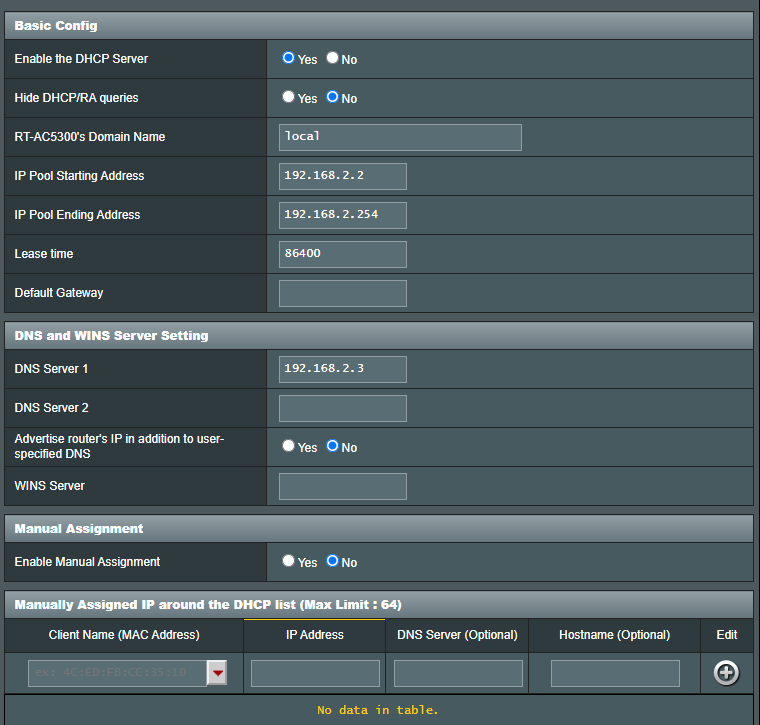
on the Intel NUC where I have ADGuard deployed it is configured as follows.
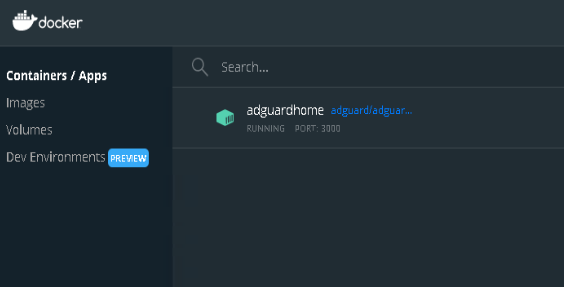
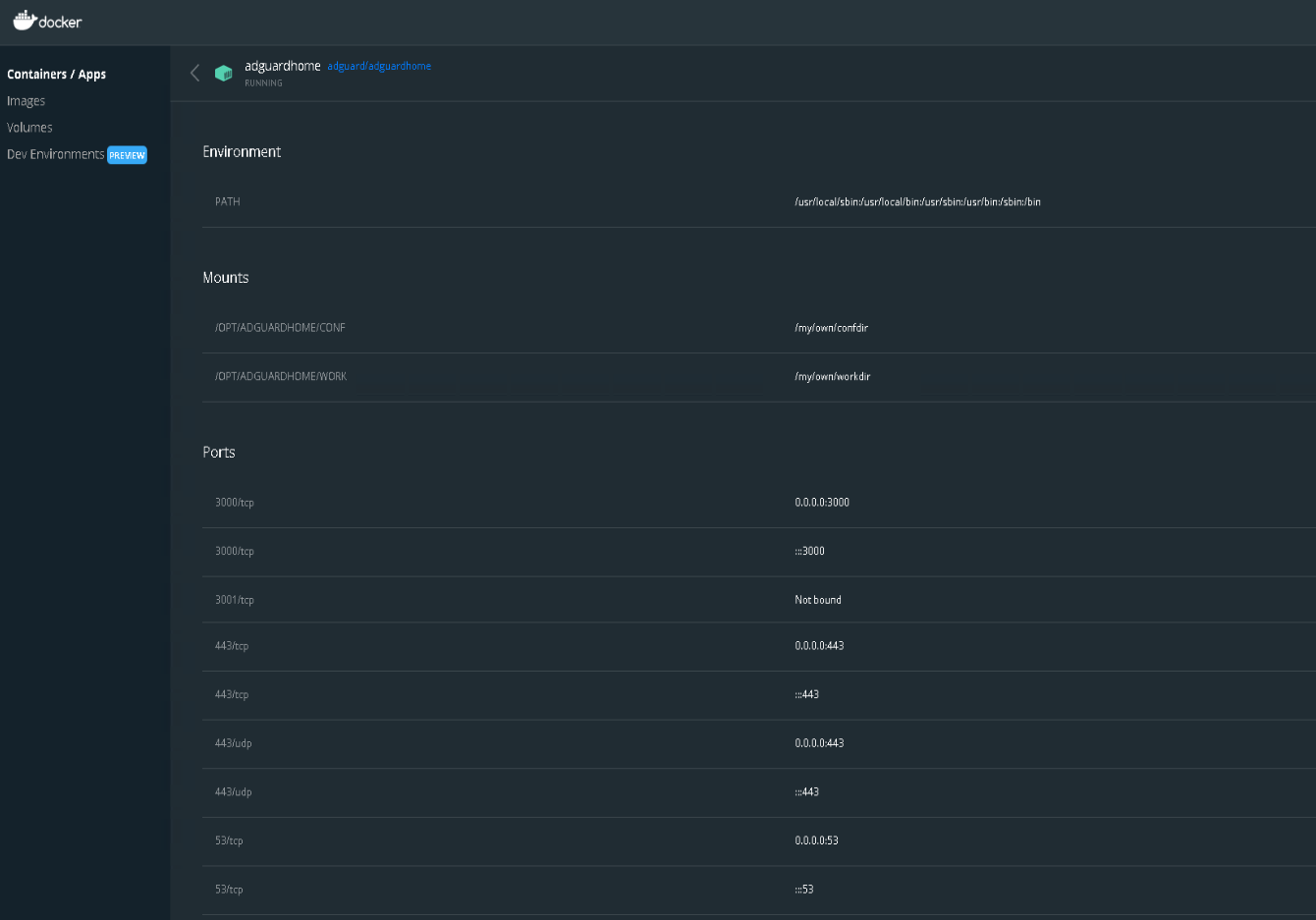
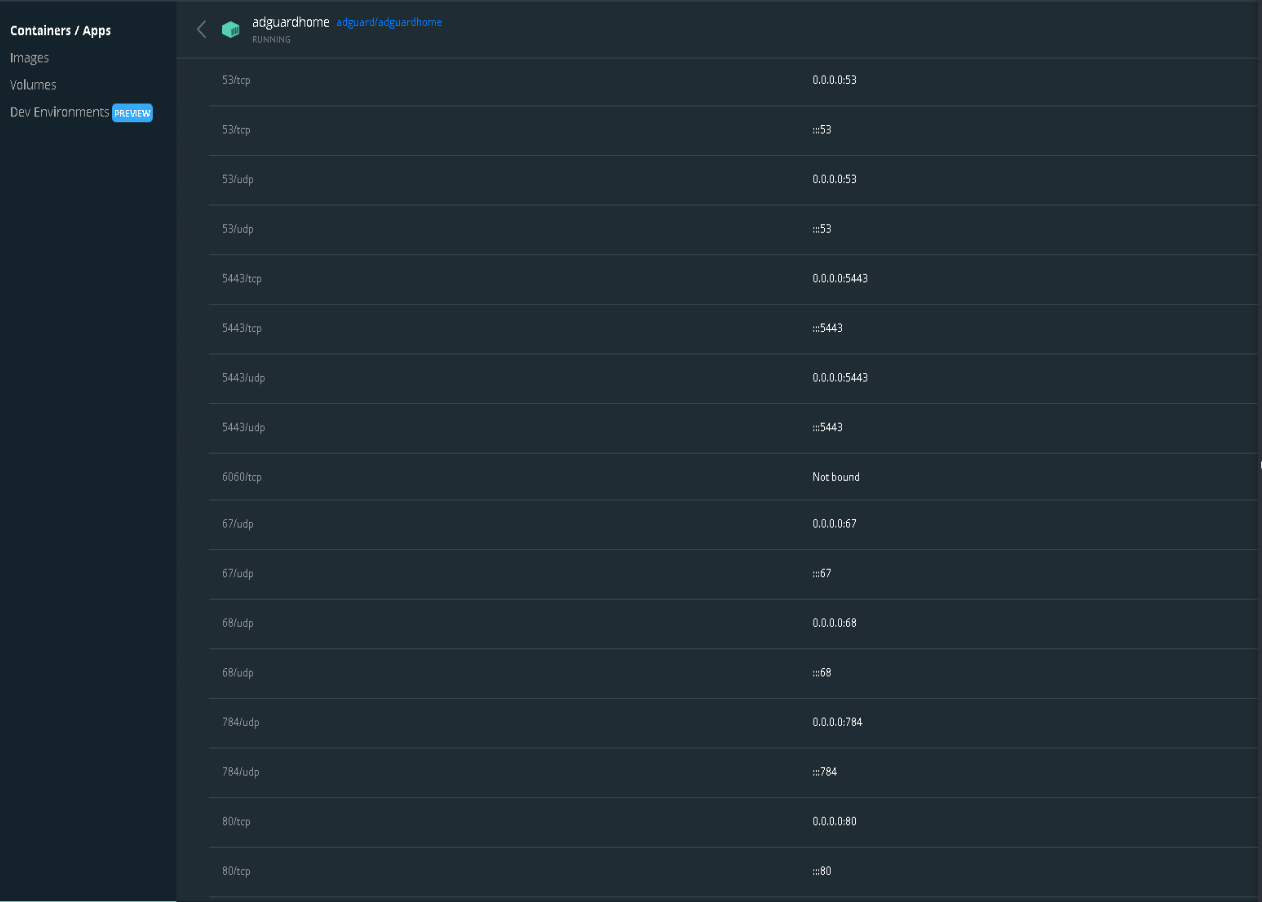
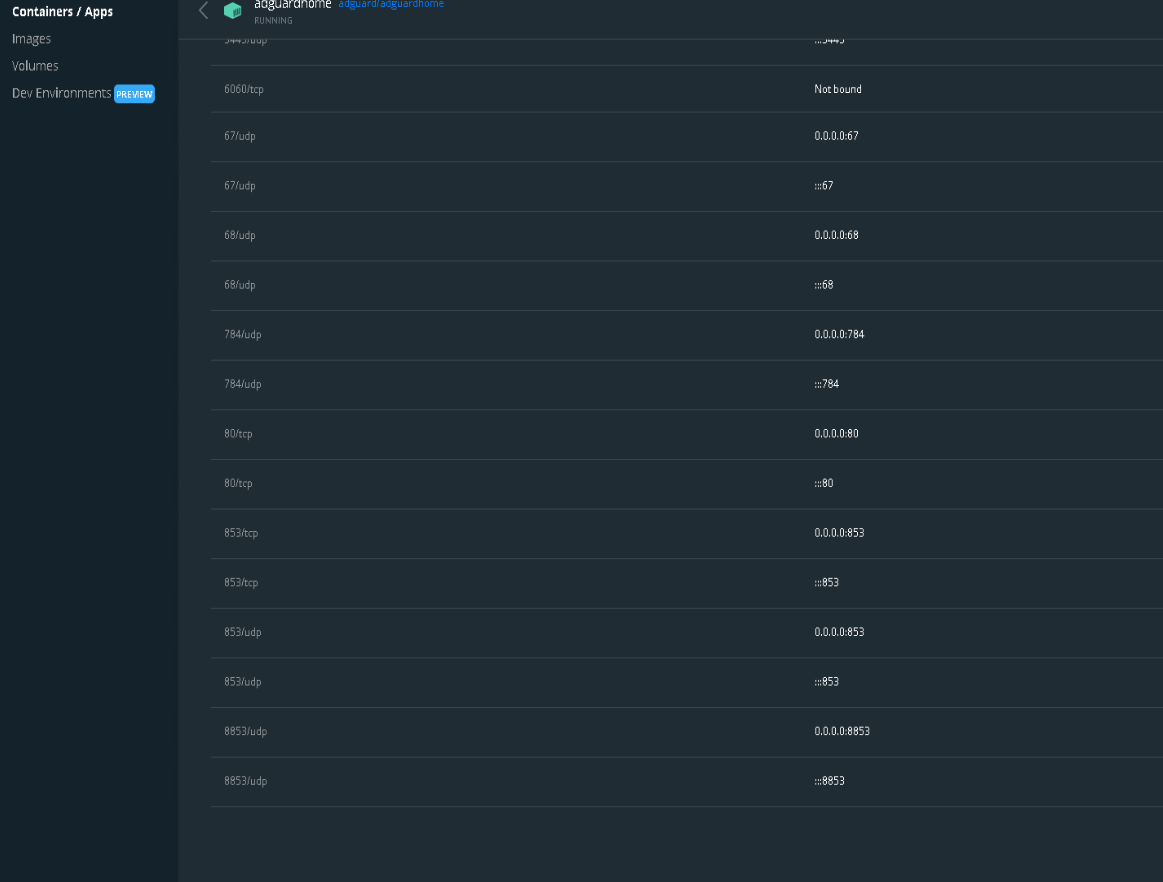
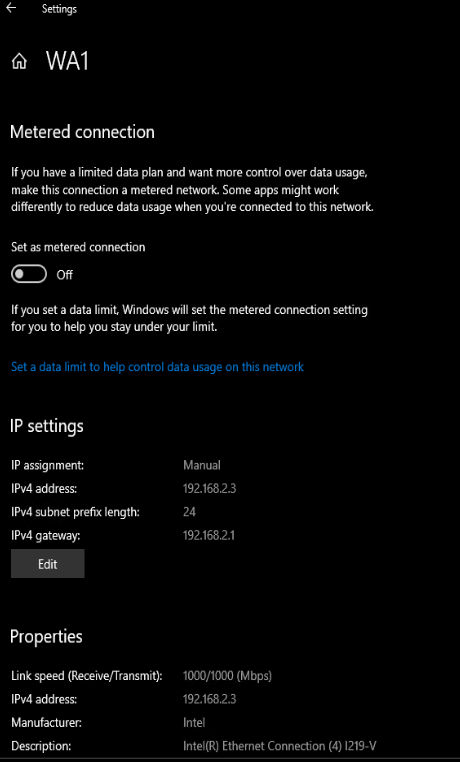
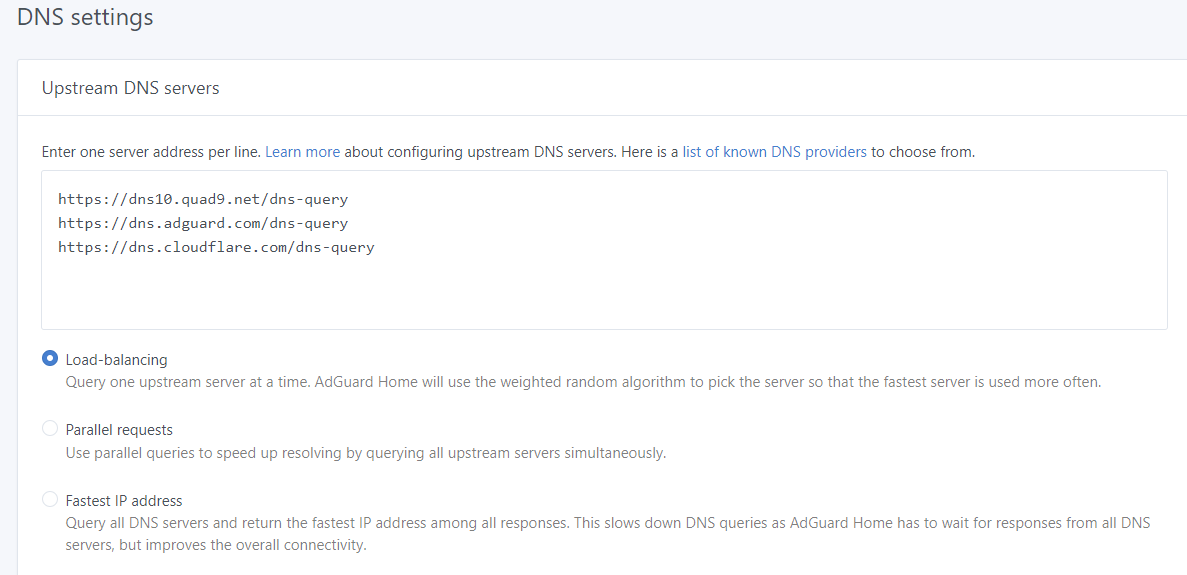
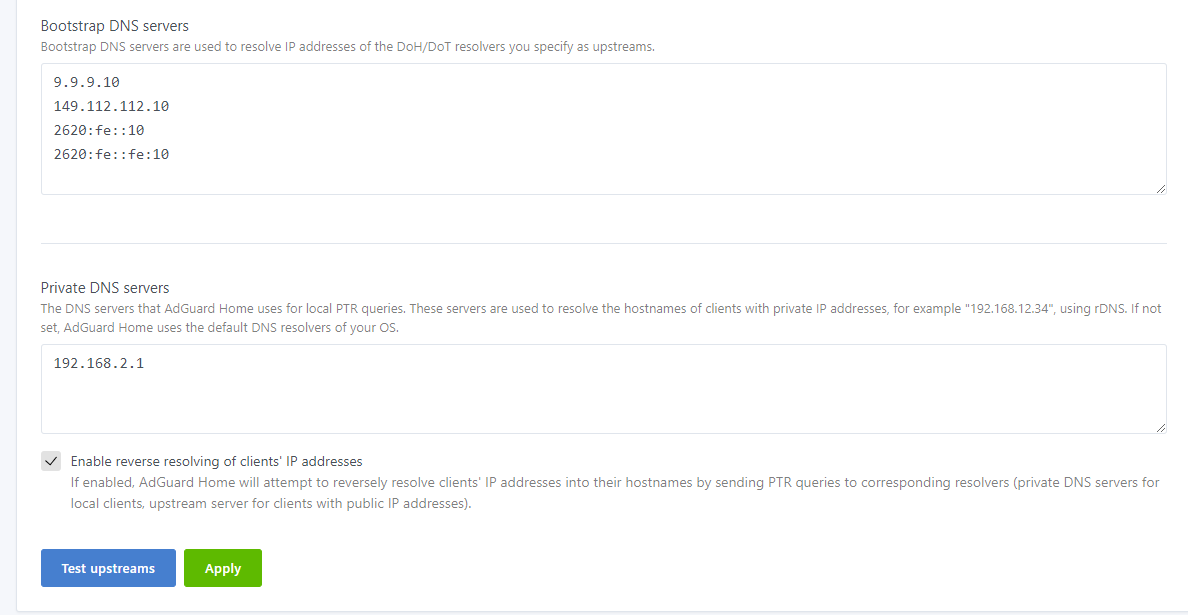
So in short
The Topology is as follows.
Clients connect to a switch (192.168.2.4) - Switch is Connected to the Router which acts as DHCP (192.168.2.1) This router as seen above, sets the DNS on ALL Client devices connected to the network
ADGuard (192.168.2.3) is connected directly to the router (192.168.2.1)
What i see on the interface is as follows.
So I can definitely see it working, Browsing from any device connected to the network, to a website that is blocked works.
See below example
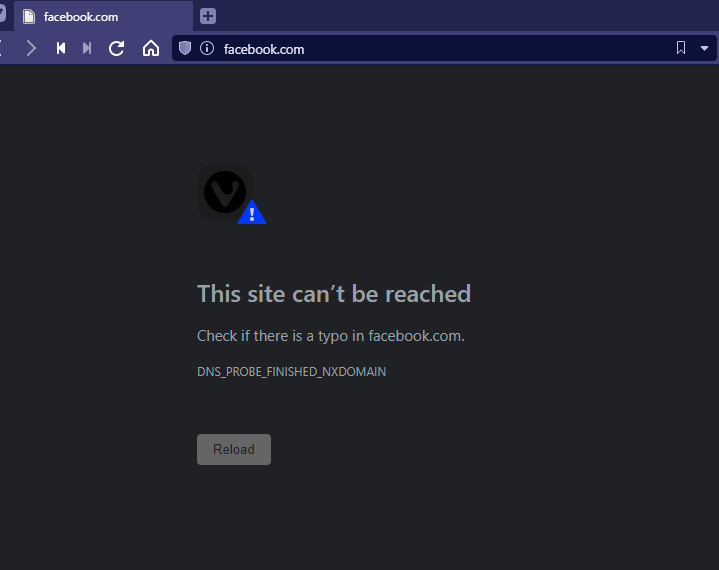
And it works on all devices.
Guy's any help here would be greatly appreciated.
And again Sorry for reposting.
@agneevX commented on GitHub (Aug 6, 2021):
This is because all requests appear to come from the Docker gateway.
The way forward, is setting
network_modetohost.Also, as a side note, I would advice against setting
localas the local domain name on your router as it conflicts with Bonjour and can cause unintended side effects.@AssasinZer0 commented on GitHub (Aug 6, 2021):
Hi @agneevX
Thanks for the tip about bonjor , I have changed as suggested.
Stupid question .. How do i change the network mode ?
@agneevX commented on GitHub (Aug 6, 2021):
What's your environment? You can find more here: https://docs.docker.com/network/host/.
@AssasinZer0 commented on GitHub (Aug 6, 2021):
This is docker running on win10
@AssasinZer0 commented on GitHub (Aug 6, 2021):
i see in the docs the following
The host networking driver only works on Linux hosts, and is not supported on Docker Desktop for Mac, Docker Desktop for Windows, or Docker EE for Windows Server.
@AssasinZer0 commented on GitHub (Aug 6, 2021):
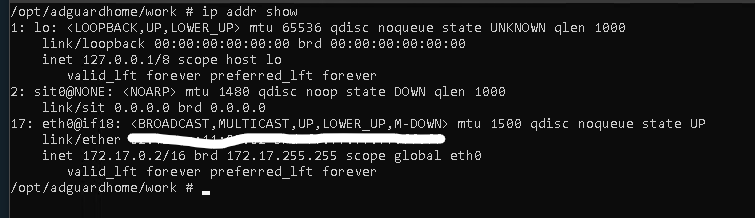
This is Docker installed on Windows 10 with Adguard running in container/apps.
@agneevX commented on GitHub (Aug 6, 2021):
Not too familiar with Windows, but you could set up MacVLAN: https://docs.docker.com/network/macvlan/
But beware of its consequences such as your computer having multiple IP addresses on the router as some can't handle that.
Apart from this, I'm not sure you can get per-device stats. I'll let the AdGuard folks chime in.
@AssasinZer0 commented on GitHub (Aug 6, 2021):
Thanks a lot @agneevX . Will see what else is suggested .
@AssasinZer0 commented on GitHub (Aug 6, 2021):
@agneevX i gave the macvlan a try
It is now getting an IP from my local subnet,
However, if I try and access the Web Interface, I get a "Hmmm… can't reach this page127.0.0.1 refused to connect."
So I'm not sure if this will work, but there might be something I have not configured correctly.
NETWORK ID NAME DRIVER SCOPE
7a4cadc48a6e bridge bridge local
eb331f85a681 host host local
a64b75abc9a5 macnet macvlan local
756c4387f88f none null local
[
{
"Name": "macnet",
"Id": "xxxxxx",
"Created": "2021-08-06T15:19:55.7666897Z",
"Scope": "local",
"Driver": "macvlan",
"EnableIPv6": false,
"IPAM": {
"Driver": "default",
"Options": {},
"Config": [
{
"Subnet": "192.168.2.0/24",
"IPRange": "192.168.2.127/25",
"Gateway": "192.168.2.1",
"AuxiliaryAddresses": {
"my-server": "192.168.2.11",
"rtr1": "192.168.2.2",
"rtr2": "192.168.2.5",
"swtch": "192.168.2.4"
}
}
]
},
"Internal": false,
"Attachable": false,
"Ingress": false,
"ConfigFrom": {
"Network": ""
},
"ConfigOnly": false,
"Containers": {
"xxxx": {
"Name": "adguardhome",
"EndpointID": "xxx",
"MacAddress": "xx:xx:xx:xx:xx",
"IPv4Address": "192.168.2.3/24",
"IPv6Address": ""
}
},
"Options": {
"parent": "eth0"
},
"Labels": {}
}
]
2021/08/06 15:20:58.552840 [info] AdGuard Home, version v0.106.3
2021/08/06 15:20:58.555999 [info] Initializing auth module: /opt/adguardhome/work/data/sessions.db
2021/08/06 15:20:58.556147 [info] auth: initialized. users:1 sessions:1
2021/08/06 15:20:58.556156 [info] Initialize web module
2021/08/06 15:20:58.570499 [info] AdGuard Home is available on the following addresses:
2021/08/06 15:20:58.571302 [info] Go to http://127.0.0.1:80
2021/08/06 15:20:58.571351 [info] Go to http://192.168.2.3:80
2021/08/06 15:20:58.752580 [info] Starting the DNS proxy server
2021/08/06 15:20:58.752628 [info] Ratelimit is enabled and set to 20 rps
2021/08/06 15:20:58.752637 [info] The server is configured to refuse ANY requests
2021/08/06 15:20:58.752642 [info] DNS cache is enabled
2021/08/06 15:20:58.752648 [info] MaxGoroutines is set to 300
2021/08/06 15:20:58.752656 [info] Creating the UDP server socket
2021/08/06 15:20:58.752799 [info] Listening to udp://[::]:53
2021/08/06 15:20:58.752811 [info] Creating a TCP server socket
2021/08/06 15:20:58.752871 [info] Listening to tcp://[::]:53
2021/08/06 15:20:58.752972 [info] Entering the UDP listener loop on [::]:53
2021/08/06 15:20:58.753021 [info] Entering the tcp listener loop on [::]:53
2021/08/06 15:22:32.155567 [info] Received signal "terminated"
2021/08/06 15:22:32.155617 [info] Stopping AdGuard Home
2021/08/06 15:22:32.155624 [info] stopping http server...
2021/08/06 15:22:32.655944 [info] stopped http server
2021/08/06 15:22:32.656185 [info] Stopping the DNS proxy server
2021/08/06 15:22:32.656408 [info] udpListen.ReadFrom() returned because we're reading from a closed connection, exiting loop
2021/08/06 15:22:32.656437 [info] Stopped the DNS proxy server
2021/08/06 15:22:32.657437 [info] Stopped
2021/08/06 15:22:33.532402 [info] AdGuard Home, version v0.106.3
2021/08/06 15:22:33.535968 [info] Initializing auth module: /opt/adguardhome/work/data/sessions.db
2021/08/06 15:22:33.536125 [info] auth: initialized. users:1 sessions:1
2021/08/06 15:22:33.536135 [info] Initialize web module
2021/08/06 15:22:33.553451 [info] AdGuard Home is available on the following addresses:
2021/08/06 15:22:33.553955 [info] Go to http://127.0.0.1:80
2021/08/06 15:22:33.553996 [info] Go to http://192.168.2.3:80
2021/08/06 15:22:33.806788 [info] Starting the DNS proxy server
2021/08/06 15:22:33.806848 [info] Ratelimit is enabled and set to 20 rps
2021/08/06 15:22:33.806855 [info] The server is configured to refuse ANY requests
2021/08/06 15:22:33.806861 [info] DNS cache is enabled
2021/08/06 15:22:33.806870 [info] MaxGoroutines is set to 300
2021/08/06 15:22:33.806882 [info] Creating the UDP server socket
2021/08/06 15:22:33.807048 [info] Listening to udp://[::]:53
2021/08/06 15:22:33.807061 [info] Creating a TCP server socket
2021/08/06 15:22:33.807121 [info] Listening to tcp://[::]:53
2021/08/06 15:22:33.807215 [info] Entering the UDP listener loop on [::]:53
2021/08/06 15:22:33.807257 [info] Entering the tcp listener loop on [::]:53
2021/08/06 15:32:52.029619 [info] Received signal "terminated"
2021/08/06 15:32:52.029642 [info] Stopping AdGuard Home
2021/08/06 15:32:52.029648 [info] stopping http server...
2021/08/06 15:33:08.533243 [info] AdGuard Home, version v0.106.3
2021/08/06 15:33:08.533357 [info] This is the first time AdGuard Home is launched
2021/08/06 15:33:08.533368 [info] Checking if AdGuard Home has necessary permissions
2021/08/06 15:33:08.533622 [info] AdGuard Home can bind to port 53
2021/08/06 15:33:08.534875 [info] Initializing auth module: /opt/adguardhome/work/data/sessions.db
2021/08/06 15:33:08.535086 [info] auth: initialized. users:0 sessions:0
2021/08/06 15:33:08.535131 [info] Initialize web module
2021/08/06 15:33:08.535181 [info] This is the first launch of AdGuard Home, redirecting everything to /install.html
2021/08/06 15:33:08.535322 [info] AdGuard Home is available on the following addresses:
2021/08/06 15:33:08.535674 [info] Go to http://127.0.0.1:3000
2021/08/06 15:33:08.535718 [info] Go to http://192.168.2.3:3000
2021/08/06 15:49:17.422547 [info] Received signal "terminated"
2021/08/06 15:49:17.422591 [info] Stopping AdGuard Home
2021/08/06 15:49:17.422598 [info] stopping http server...
2021/08/06 15:49:17.923218 [info] stopped http server
2021/08/06 15:49:17.923508 [info] Stopped
2021/08/06 15:49:18.926008 [info] AdGuard Home, version v0.106.3
2021/08/06 15:49:18.926163 [info] This is the first time AdGuard Home is launched
2021/08/06 15:49:18.926178 [info] Checking if AdGuard Home has necessary permissions
2021/08/06 15:49:18.926392 [info] AdGuard Home can bind to port 53
2021/08/06 15:49:18.927451 [info] Initializing auth module: /opt/adguardhome/work/data/sessions.db
2021/08/06 15:49:18.928151 [info] auth: initialized. users:0 sessions:0
2021/08/06 15:49:18.928162 [info] Initialize web module
2021/08/06 15:49:18.928196 [info] This is the first launch of AdGuard Home, redirecting everything to /install.html
2021/08/06 15:49:18.928256 [info] AdGuard Home is available on the following addresses:
2021/08/06 15:49:18.928576 [info] Go to http://127.0.0.1:3000
2021/08/06 15:49:18.928618 [info] Go to http://192.168.2.3:3000
@AssasinZer0 commented on GitHub (Aug 6, 2021):
ok so this is as far as i got . There is an issue somewhere in here i just can find it
As a sidenote this is the first time im using docker.
If I try and connect to any of the IP's, I get the page cannot connect
Once the container starts it gives me the following :
2021/08/06 17:21:14.313773 [info] AdGuard Home, version v0.106.3
2021/08/06 17:21:14.313867 [info] This is the first time AdGuard Home is launched
2021/08/06 17:21:14.313876 [info] Checking if AdGuard Home has necessary permissions
2021/08/06 17:21:14.314134 [info] AdGuard Home can bind to port 53
2021/08/06 17:21:14.316841 [info] Initializing auth module: /opt/adguardhome/work/data/sessions.db
2021/08/06 17:21:14.317000 [info] auth: initialized. users:0 sessions:0
2021/08/06 17:21:14.317011 [info] Initialize web module
2021/08/06 17:21:14.317041 [info] This is the first launch of AdGuard Home, redirecting everything to /install.html
2021/08/06 17:21:14.317111 [info] AdGuard Home is available on the following addresses:
2021/08/06 17:21:14.317421 [info] Go to http://127.0.0.1:3000
2021/08/06 17:21:14.317473 [info] Go to http://192.168.2.9:3000
If i try and connect to any of the ip's , i get the page cannot connect
It is now able to create an\find an IP on my local subnet.
Now this is how i understand it
(Create MACVLAN)
docker network create -d macvlan --subnet=192.168.2.0/24 --ip-range=192.168.2.127/25 --gateway=192.168.2.1 --aux-address="rtr1=192.168.2.2" --aux-address="nuc=192.168.2.3" --aux-address="swtch=192.168.2.4" --aux-address="rtr2=192.168.2.5" --aux-address="my-server=192.168.2.11" -o parent=eth0 macnet
(????????)
docker run -dit --network macnet --name macnet-alpine alpine:latest ash
(Create container and connect to MACVLAN)
docker run --name adguardhome -v /my/own/workdir:/opt/adguardhome/work -v /my/own/workdir:/opt/adguardhome/work -v /my/own/confdir:/opt/adguardhome/conf -p 53:53/tcp -p 53:53/udp -p 67:67/udp -p 68:68/udp -p 80:80/tcp -p 443:443/tcp -p 443:443/udp -p 3000:3000/tcp -p 853:853/tcp -p 784:784/udp -p 853:853/udp -p 8853:8853/udp -p 5443:5443/tcp -p 5443:5443/udp --ip 192.168.2.9 -itd --network macnet -d --restart unless-stopped adguard/adguardhome
@stale[bot] commented on GitHub (Mar 2, 2022):
This issue has been automatically marked as stale because it has not had recent activity. It will be closed if no further activity occurs. Thank you for your contributions.