mirror of
https://github.com/AdguardTeam/AdGuardHome.git
synced 2026-03-04 00:01:12 -05:00
Ability to override all DNS record answer types with an interactive UI #4117
Labels
No labels
P1: Critical
P2: High
P3: Medium
P4: Low
UI
bug
cannot reproduce
compatibility
dependencies
docker
documentation
duplicate
enhancement
enhancement
external libs
feature request
good first issue
help wanted
infrastructure
invalid
localization
needs investigation
performance
potential-duplicate
question
recurrent
research
snap
waiting for data
wontfix
No milestone
No project
No assignees
1 participant

Notifications
Due date
No due date set.
Dependencies
No dependencies set.
Reference
starred/AdGuardHome#4117
Loading…
Add table
Add a link
Reference in a new issue
No description provided.
Delete branch "%!s()"
Deleting a branch is permanent. Although the deleted branch may continue to exist for a short time before it actually gets removed, it CANNOT be undone in most cases. Continue?
Originally created by @ghost on GitHub (Dec 13, 2022).
Prerequisites
I have checked the Wiki and Discussions and found no answer
I have searched other issues and found no duplicates
I want to request a feature or enhancement and not ask a question
Description
What problem are you trying to solve?
For my use case, I am interested in adding HTTPS records to major websites who don't currently have their own, yet support either H2, H3, H3-29 or another variant of HTTP/3 or QUIC.
This would be useful for Firefox and Chromium based browsers as they now support HTTPS records for faster protocol negotiations.
For other use cases, I have considered the benefits and downsides quite heavily, and I came to the conclusion that other people may indeed benefit from this feature addition as there are no downsides to it that come to mind.
Proposed solution
Add an interactive UI (like Cloudflare has) to interact with DNS rewriting, including a dropdown menu of record types that is autocompleted via user input, and checks the record input against common formats, however if a user wishes to override the error that their record is invalid, this should be respected to account for quirky use cases.
Alternatives considered
I have previously used my own domain to use a CNAME to overwrite these sites and add HTTPS records, but as some change IPs quite often, this is too tedious.
Additional information
Screenshots for reference:
@ainar-g commented on GitHub (Dec 13, 2022):
You can already do that right now with
dnsrewritefiltering rules.As for the UI, we've had thoughts about expanding the current Filters → DNS rewrites screen to add more types, but that is blocked on both #2499 and the v0.108 redesign and refactoring, so realistically it won't be a quick feature.
@ghost commented on GitHub (Dec 13, 2022):
I apologize for my potential ignorance, but you can only rewrite A, AAAA and CNAME records currently via the UI, I have already tried this many times.
Unless there is another way to do so?
@ainar-g commented on GitHub (Dec 13, 2022):
Not via the UI, no, but using custom filtering rules. It's the first link in my previous message. There are examples for
HTTPSrecords as well.@ghost commented on GitHub (Dec 13, 2022):
@ainar-g
I noticed a bug.
Using this rewrites EVERY record type.
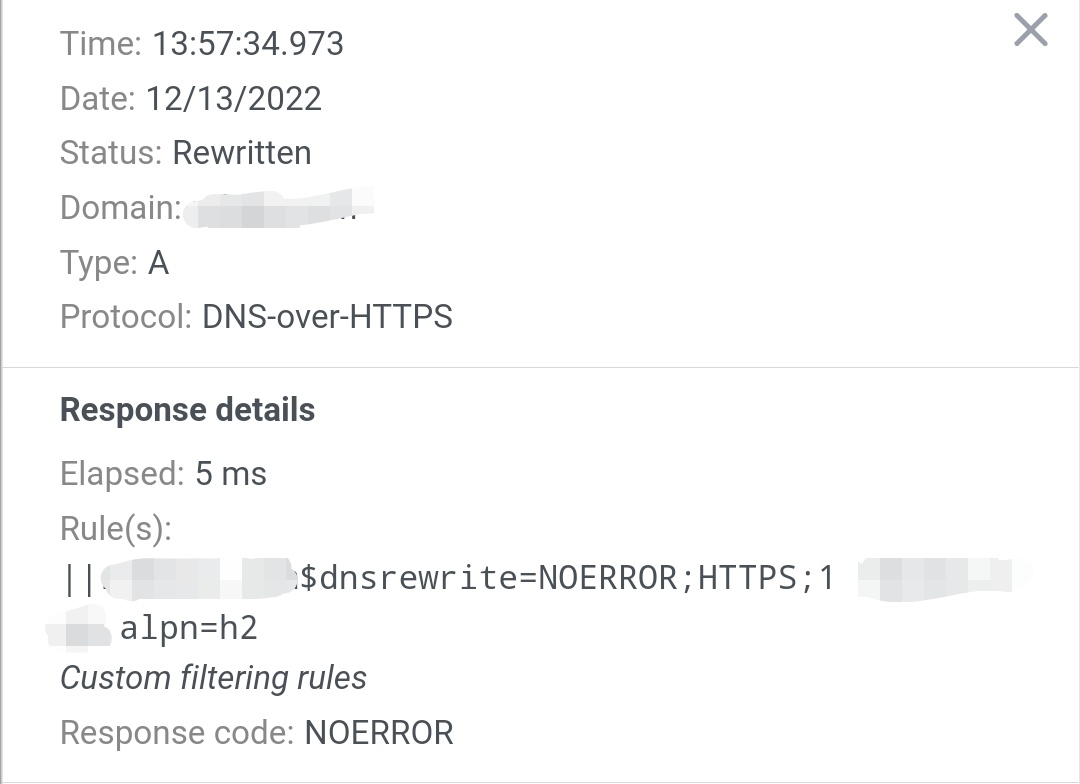
See below:
This has rendered the domain inaccessible.
@ainar-g commented on GitHub (Dec 13, 2022):
That is because this is still a filtering rule, so it assumes that it must only respond to
HTTPSqueries, responding withNODATAto all others.To limit the rule's action exclusively to
HTTPSqueries, you'll need to add thednstypemodifier:@ghost commented on GitHub (Dec 13, 2022):
@ainar-g
Forgive my ignorance, however I believe this result may be unintentional.
Essentially, for some reason, overwriting example.com also overwrites it's subdomains, even if the ^ parameter is not defined.
According to the filter rule documentation, subdomains will only be linked to a rule for a domain if the ^ parameter is applied (or if the rule itself is for the subdomain).
See below:
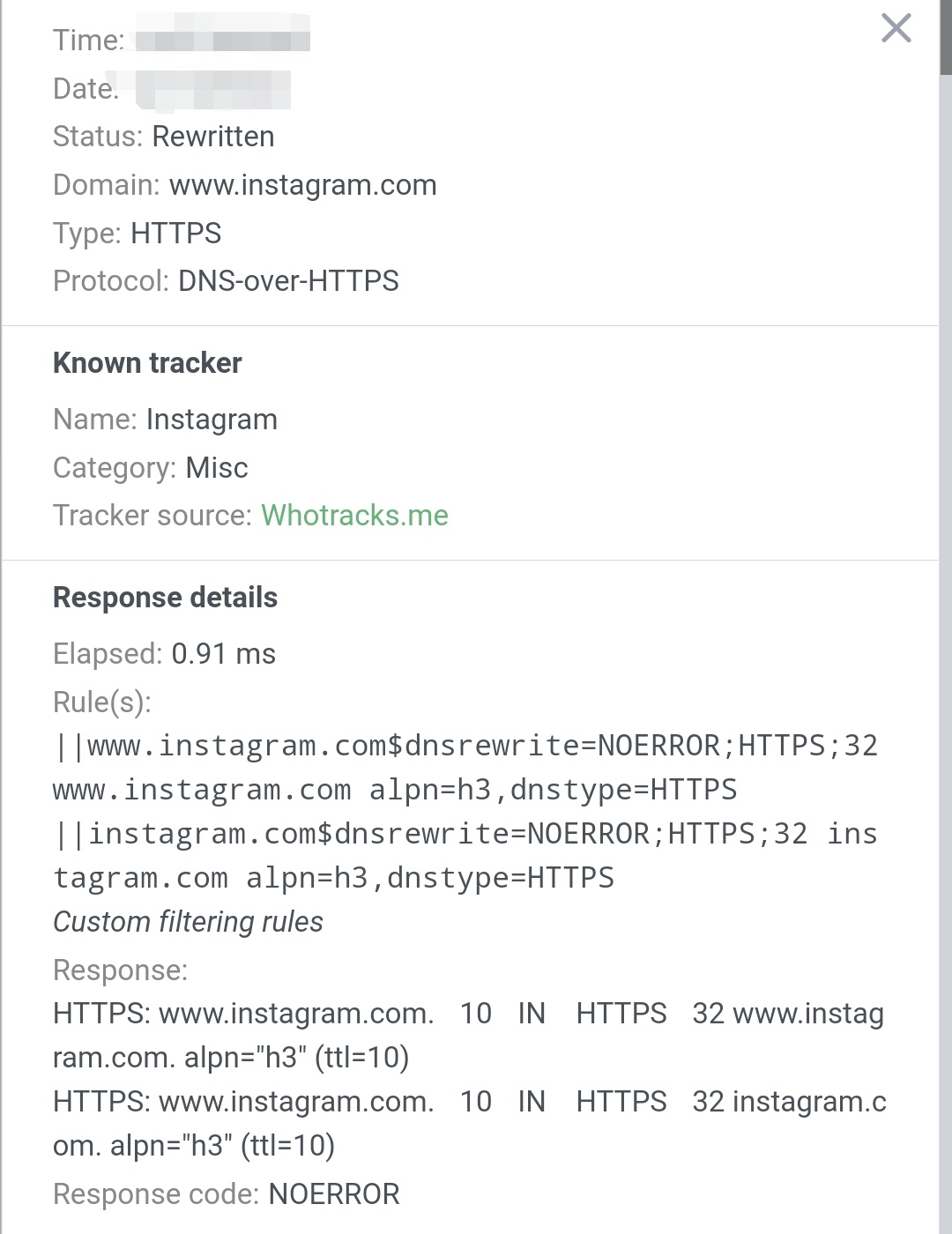
^ This is preventing the browser from automatically using HTTP/3.
@ainar-g commented on GitHub (Dec 13, 2022):
^has nothing to do with the result here, as it's essentially just a separator.||is the part that matches all subdomains. If you want to match a domain exactly, use|.@ghost commented on GitHub (Dec 15, 2022):
Thank you for explaining this, it worked after I used the one '|', however, I was quite confused, as normally '^' is normally used to indicate a rule that matches subdomains.
Perhaps in future this formatting could be refactored to make rewrite rules differentiated but also consistent with standard filter rules?
I therefore would like to propose a format like so:
'|' = initiate a rewrite rule
'^' = match subdomains
'$' = specify parameters
'&' = placed between parameters to separate them (equivalent to whitespace)
Example:
|example.com^$dnsrewrite=NOERROR&HTTPS&32&example.com&alpn=h2&dnstype=HTTPS@ghost commented on GitHub (Jul 19, 2023):
Bump