mirror of
https://github.com/linuxserver/Heimdall.git
synced 2026-03-03 00:26:56 -05:00
[bug] transparent color gets reset #651
Labels
No labels
EnhancedApp
FoundationApp
FoundationApp
FoundationApp
bug
closed-issue-activity
enhancement
enhancement
enhancement
good first issue
help wanted
invalid
no-issue-activity
question
research
research
stale
wontfix
No milestone
No project
No assignees
1 participant

Notifications
Due date
No due date set.
Dependencies
No dependencies set.
Reference
starred/Heimdall-linuxserver#651
Loading…
Add table
Add a link
Reference in a new issue
No description provided.
Delete branch "%!s()"
Deleting a branch is permanent. Although the deleted branch may continue to exist for a short time before it actually gets removed, it CANNOT be undone in most cases. Continue?
Originally created by @PhilippMundhenk on GitHub (Nov 25, 2022).
For design reasons, I do not define any color for any of my tiles (i.e., delete all text in color filed, including #), which gives them a nice transparent effect. However, whenever I edit a tile, the color setting is reset to the default (usually #161b1f) and I need to manually delete the color before saving.
@KodeStar commented on GitHub (Nov 25, 2022):
Your best bet is to hide it with custom css in the settings in that case, something like:
If you wanted to hide the titles as well you could use:
@PhilippMundhenk commented on GitHub (Nov 26, 2022):
I was not refering to th title color, but rather the background-color of .details. This can be set in the settings of every app. Example:

I delete this color, to achieve a transparent background and white text and arrow. This works very well:

However, when opening the settings again, the color is reset to the original value.
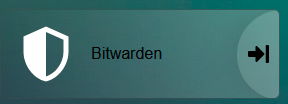
I tried setting it to "transparent", which unfortunately results in black text:
However, the hint with custom CSS and some poking around let me to achieve what I want through:
I will leave this closed, but resetting a setting of the user still feels like a bug...
@KodeStar commented on GitHub (Nov 26, 2022):
It doesn't know it's a user setting though, it just sees an empty value. The other option is to add an alpha channel, something like #00000000 (so 8 zeros instead of 6), which will do the same thing and shouldn't get reset either