mirror of
https://github.com/pikvm/pikvm.git
synced 2026-03-02 18:16:56 -05:00
Building a PiZeroW image with make os gets stuck at 16/16 step. #84
Labels
No labels
component:documentation
help wanted
resolution:delayed
resolution:duplicate
resolution:fixed
resolution:invalid
resolution:rejected
resolution:wontfix
success story
type:bug
type:bug
type:feature
type:question
type:question
No milestone
No project
No assignees
1 participant

Notifications
Due date
No due date set.
Dependencies
No dependencies set.
Reference
starred/pikvm-pikvm#84
Loading…
Add table
Add a link
Reference in a new issue
No description provided.
Delete branch "%!s()"
Deleting a branch is permanent. Although the deleted branch may continue to exist for a short time before it actually gets removed, it CANNOT be undone in most cases. Continue?
Originally created by @hradec on GitHub (Oct 16, 2020).
Originally assigned to: @mdevaev on GitHub.
Describe the bug
I'm using this config.mk file:
and when I run
make os, it always stops at:When I say stops, I mean just staying there, doing nothing! I left it there for more than 24 hours, and it will stay stuck there... no error messages, nothing!
To Reproduce
Steps to reproduce the behavior, like:
make os? I'm not sure...Expected behavior
I would expect it to finish without errors, since the source code is vanilla from the github depot, with the only change being the config.mk file.
Desktop (please complete the following information):
Pi-KVM info:
Additional context
I'm building the image in a AMD FX8100 PC running Arch Linux, not in a Raspbery Pi.
I went into the docker container using
docker execto see what was running in it, and it seemed to be stuck on a pacman command. Maybe Pacman is asking something and it's waiting for input?Is there a way to run the
make osshowing everything so I can check if that's the problem? I tried runningmake os VERBOSE=1, no luck... I also tried runningdocker logsfor the containermake osspawns, but I got this message:Error response from daemon: configured logging driver does not support readingbtw, I use
docker logwith other containers without problem. It's not a config problem of my docker.@mdevaev commented on GitHub (Oct 16, 2020):
Hi. I'll try to reproduce it, but it's night now, so it won't be until tomorrow. So far, I have a couple of ideas. Try to install a regular Arch kernel on your machine, I have 5.8.14. And have you tried retrying it? Does it get stuck every time?
@mdevaev commented on GitHub (Oct 16, 2020):
Okay, I tried it before I went to bed. I have not reproduced this problem. Moreover, a system update has been released in the last few hours. Something may have been fixed.
Try building without a cache:
make os NC=1. But before that, please try just repeatingmake osand using a different kernel. The fact is that the build works via QEMU and this may be an emulation problem.@hradec commented on GitHub (Oct 17, 2020):
Yes... it gets stuck every time!!
repeating
make osdoes the same... stuck! Runningmake os NC=1also does the same.I tried now running in another machine (Xeon E5645 now), which runs Proxmox 6.2, based on Debian 9. Kernel
Linux version 5.4.55-1-pve (root@nora) (gcc version 8.3.0 (Debian 8.3.0-6)) #1 SMP PVE 5.4.55-1 (Mon, 10 Aug 2020 10:26:27 +0200), which is the default kernel for this version of Proxmox (Proxmox is a hypervisor for KVM and Containers)I get the same result, but actually much earlier than on my arch linux machine, on step 16/78 it just stops!
16/78 is actually during the build of the docker image, so no qemu involved in this stage... I tried running it on a hard drive and also on a nvme drive, same result.
What linux distro are you using? I'll try to run a VM on proxmox with the same distro/kernel as you, and see if I can get it to build!
For now, I'll install the latest Manjaro available, so I can get a recent kernel... I'll let you known how it goes!
@mdevaev commented on GitHub (Oct 17, 2020):
QEMU is used at all stages of the build, including here. Docker images have an ARM architecture.
Arch
I'll wait. If the problem persists, please contact me via discord (link in README). I would like to debug the problem remotely on your machine via tmate. Because right now I don't understand what's going on, and it doesn't reproduce locally.
@hradec commented on GitHub (Oct 17, 2020):
Hoooo... I didn't realized pi-builder was a different project!! And examining the initial dockerfile, I see it imports the arm rootfs and qemu-arm... gotcha!
I'm installing docker on the manjaro distro I just installed in a Proxmox VM, and I'll let you known.
Majaro is up2date, and the default kernel is 5.8.11-1. It doesn't have the 5.8.14 in the list to be installed, but it does have a experimental 5.9:
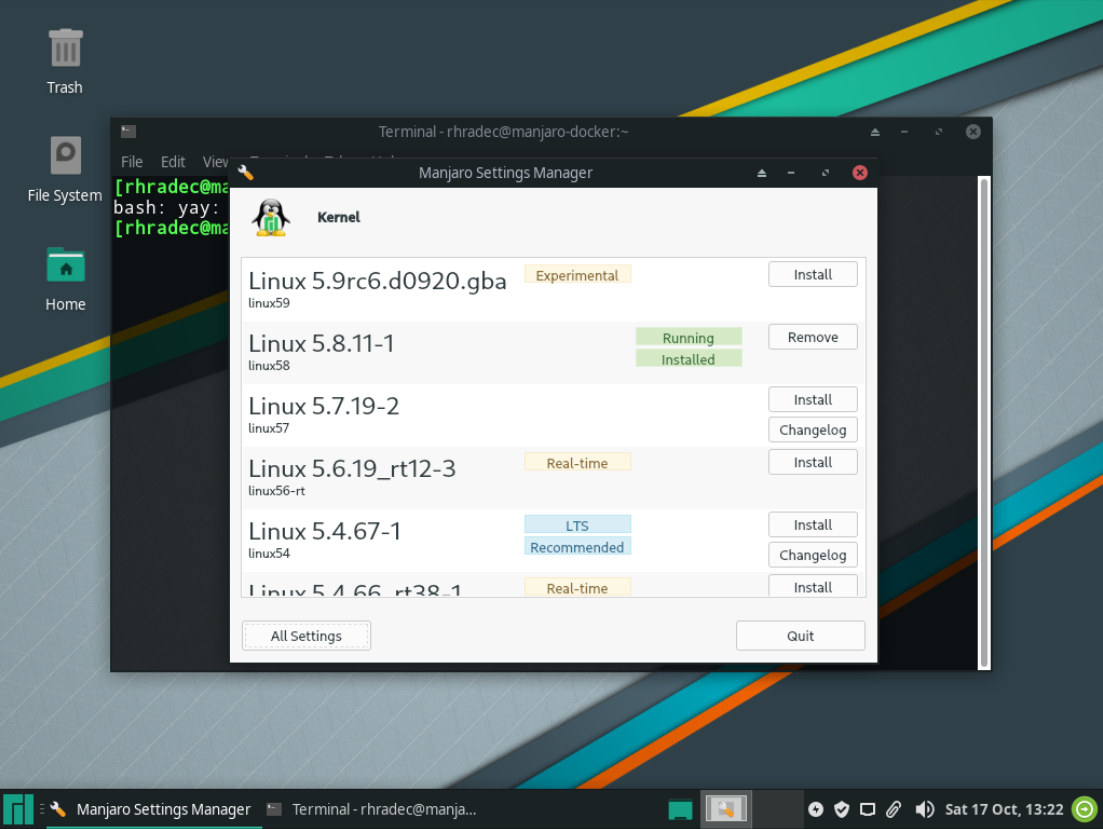
I'll give it a try with 5.8.11-1 and see how it goes...
@mdevaev commented on GitHub (Oct 25, 2020):
How it is?
@mdevaev commented on GitHub (Nov 12, 2020):
I close it because there is no response. I'll reopen it if you want to, I'll be happy to continue debugging and rediscover it if the problem still exists.
@hradec commented on GitHub (Nov 24, 2020):
sorry the long delay...
I tried running a debian VM on proxmox, but the kernel was less than 5.8.14.
So, I decided to find a moment to update my main arch linux distro to the latest available kernel, but finding that moment took me a while.
But I got there... now I'm running 5.9.9-zen kernel, and I was able to run
make ossuccessfully from beginning to end, without cache!So you're right, it was the kernel version indeed! I think it's a good idea to put a warning in the
Readmeso people known to use a later than 5.8.14 kernel!I'm now having a different issue, where pikvm can't find my HDMI-CSI board... but I'll create a new issue for that!
thanks for the help!