mirror of
https://github.com/qbittorrent/qBittorrent.git
synced 2026-03-02 22:57:32 -05:00
Priority of files is ignored when it is set from "Add torrent" dialog box #7386
Labels
No labels
Accessibility
AppImage
Bounty
Build system
CI
Can't reproduce
Code cleanup
Confirmed bug
Confirmed bug
Core
Crash
Data loss
Discussion
Docker
Documentation
Duplicate
Feature
Feature request
Feature request
Feature request
Filters
Flatpak
GUI
Has workaround
I2P
Invalid
Libtorrent
Look and feel
Meta
NSIS
Network
Not an issue
OS: *BSD
OS: Linux
OS: Windows
OS: macOS
PPA
Performance
Project management
Proxy/VPN
Qt bugs
Qt6 compat
RSS
Search engine
Security
Temp folder
Themes
Translations
Triggers
Waiting diagnosis
Waiting info
Waiting upstream
Waiting web implementation
Watched folders
WebAPI
WebUI
autoCloseOldIssue
No milestone
No project
No assignees
1 participant

Notifications
Due date
No due date set.
Dependencies
No dependencies set.
Reference
starred/qBittorrent#7386
Loading…
Add table
Add a link
Reference in a new issue
No description provided.
Delete branch "%!s()"
Deleting a branch is permanent. Although the deleted branch may continue to exist for a short time before it actually gets removed, it CANNOT be undone in most cases. Continue?
Originally created by @TrueXakeP on GitHub (Jun 4, 2018).
qBittorrent version and Operating System
qBittorrent 4.1.1 64bit
win 8.1
What is the problem
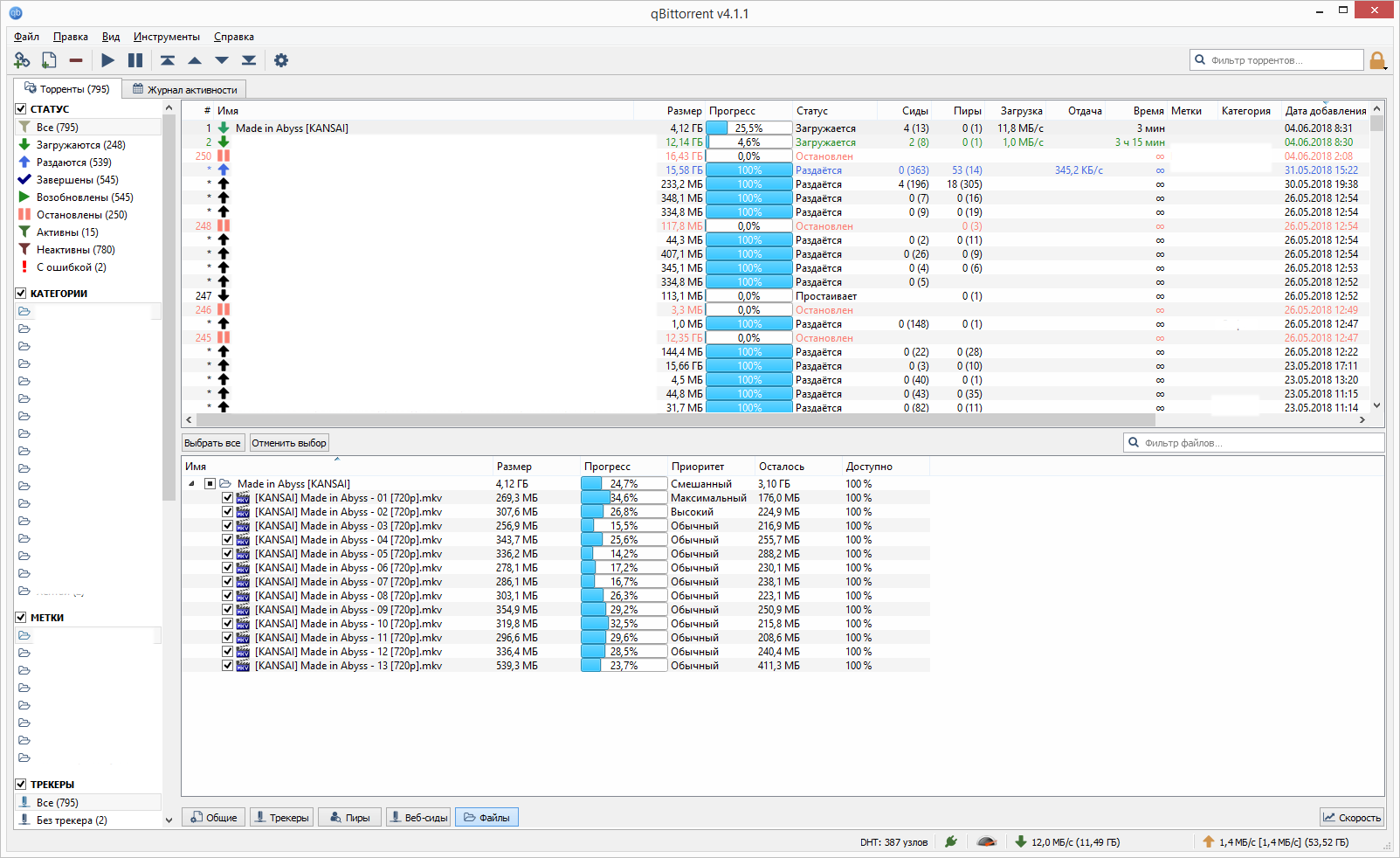
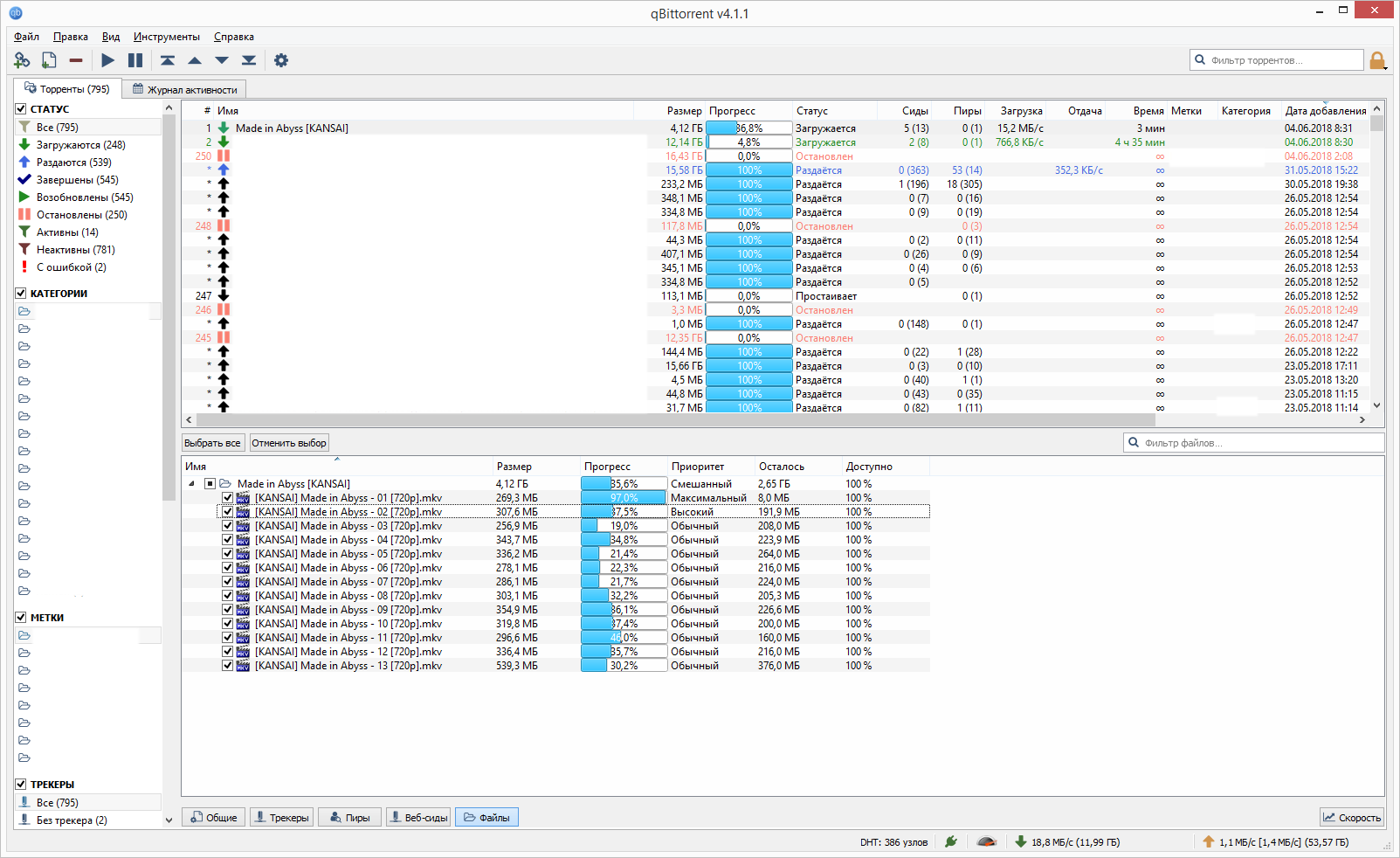
When priority of some files of torrent is set to different from "Add torrent" dialog box a files will still download evenly. Until a priority will re set from "files" section of main window.
What is the expected behavior
Download process must respect priority of files when it is set from "Add torrent" dialog box.
Steps to reproduce
Enable show torrent settings when adding torrent.
Add torrent with several files.
In "Add torrent" dialog box change priority of one file to maximum.
Start download.
Extra info(if any)
When I set priority to max for the fist file and to high for the second file from "Add torrent" dialog the torrent start downloading like this:
When I re set priority to ordinal and back to max and high then torrent continue downloading like this (after couple of seconds):
Sorry for my english.