mirror of
https://github.com/qbittorrent/qBittorrent.git
synced 2026-03-02 22:57:32 -05:00
Can't see GUI after closing with "minimize on close" option activated on Linux Plasma 5 #8217
Labels
No labels
Accessibility
AppImage
Bounty
Build system
CI
Can't reproduce
Code cleanup
Confirmed bug
Confirmed bug
Core
Crash
Data loss
Discussion
Docker
Documentation
Duplicate
Feature
Feature request
Feature request
Feature request
Filters
Flatpak
GUI
Has workaround
I2P
Invalid
Libtorrent
Look and feel
Meta
NSIS
Network
Not an issue
OS: *BSD
OS: Linux
OS: Windows
OS: macOS
PPA
Performance
Project management
Proxy/VPN
Qt bugs
Qt6 compat
RSS
Search engine
Security
Temp folder
Themes
Translations
Triggers
Waiting diagnosis
Waiting info
Waiting upstream
Waiting web implementation
Watched folders
WebAPI
WebUI
autoCloseOldIssue
No milestone
No project
No assignees
1 participant

Notifications
Due date
No due date set.
Dependencies
No dependencies set.
Reference
starred/qBittorrent#8217
Loading…
Add table
Add a link
Reference in a new issue
No description provided.
Delete branch "%!s()"
Deleting a branch is permanent. Although the deleted branch may continue to exist for a short time before it actually gets removed, it CANNOT be undone in most cases. Continue?
Originally created by @Digitalone1 on GitHub (Dec 27, 2018).
qBittorrent version and Operating System
4.1.5-1 and Arch Linux
If on linux, libtorrent and Qt version
libtorrent-rasterbar 1:1.1.11-1
qt5 5.12.0-1
What is the problem
I have checked minimize in the system tray and minimize on close options.
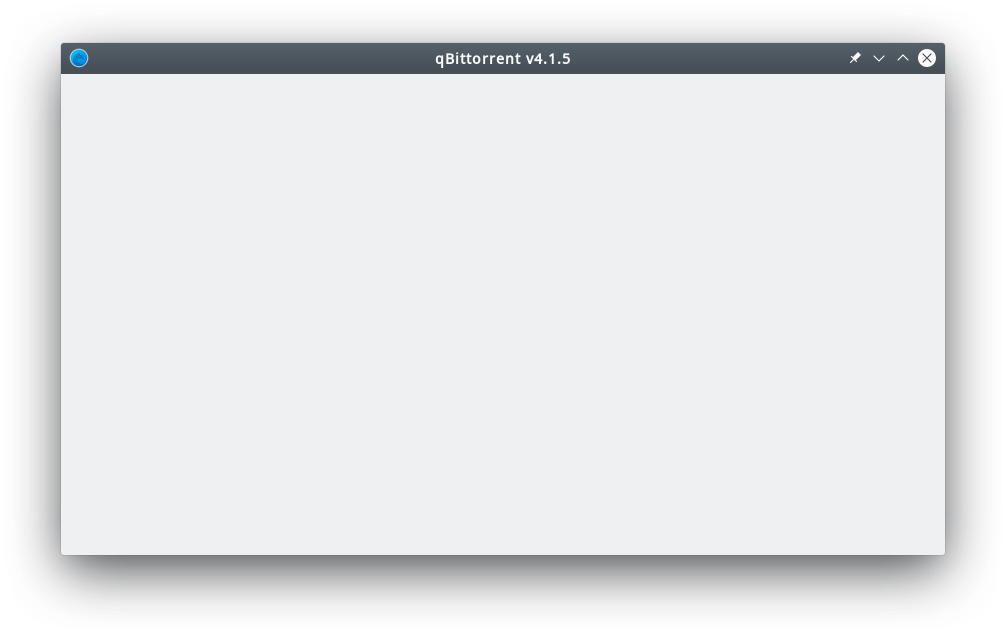
Every time I close the GUI (clicking on the X in the title bar), when I restore it, I can't see nothing:
No problem when I only click on the system tray icon.
When I right click on the system tray icon and select Exit, or when I press CTRL+Q, most of the time the application closes itself, but it remains in the process list and I have to kill it.
What is the expected behavior
See the GUI when I restore the application after closing it since I checked minimize on close option. I expect the same behavior as just clicking on the system tray icon.
Steps to reproduce
Written in "what is the problem".
Extra info(if any)
Tried also with previous 4.1.4 version, same behavior.
@Digitalone1 commented on GitHub (Dec 28, 2018):
Don't know why, now it's working correctly.
I'll check in the next days and if it lasts, I'll close this issue.
@Digitalone1 commented on GitHub (Dec 30, 2018):
It's still working good. Closed.