mirror of
https://github.com/rustdesk/rustdesk.git
synced 2026-03-02 19:26:56 -05:00
fit to host screen #1103
Labels
No labels
bug
documentation
duplicate
enhancement
enhancement
enhancement
good first issue
help wanted
invalid
question
unreproducible
wontfix
No milestone
No project
No assignees
1 participant

Notifications
Due date
No due date set.
Dependencies
No dependencies set.
Reference
starred/rustdesk-rustdesk#1103
Loading…
Add table
Add a link
Reference in a new issue
No description provided.
Delete branch "%!s()"
Deleting a branch is permanent. Although the deleted branch may continue to exist for a short time before it actually gets removed, it CANNOT be undone in most cases. Continue?
Originally created by @test2a on GitHub (Dec 2, 2022).
Hi.
currently there are only 2 options for the screen resolution.
scale original
scale adaptive
original means the resolution of the remote connection
and adaptive is to "shrink" the remote desktop to fit to square screen on the client side.
the problem is, my desktop is a tiny monitor
and my host is a laptop .
so, if i do original, i am stuck with a good display but it is much bigger so the scroll comes up. that is not good.
adaptive makes it better but there are black bars on the sides which is wasted space.
there should be a third "fit to screen" option that takes the current resolution of host and displays the full image
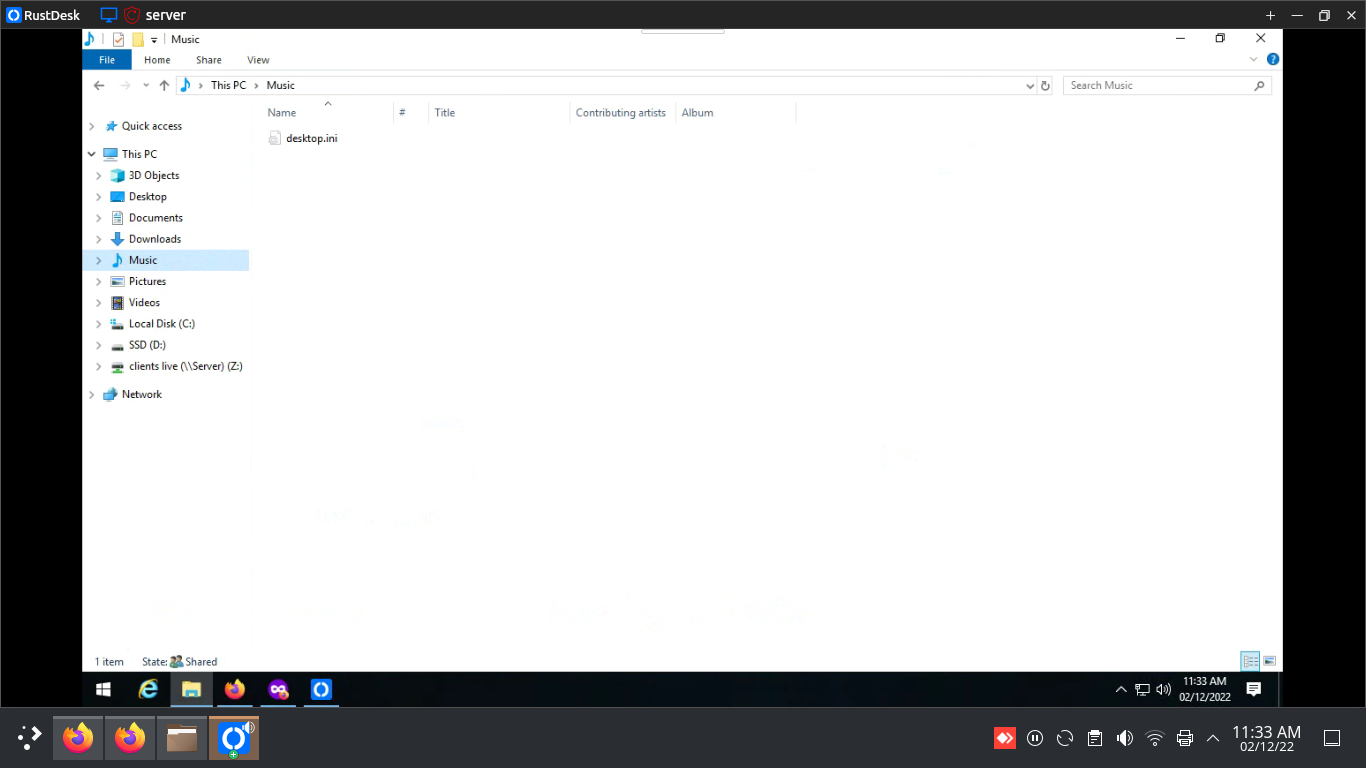
here is the black bars. if the option to stretch or "fit to screen" was there, it would make the experience imo similar to "original" but without the scrolling.
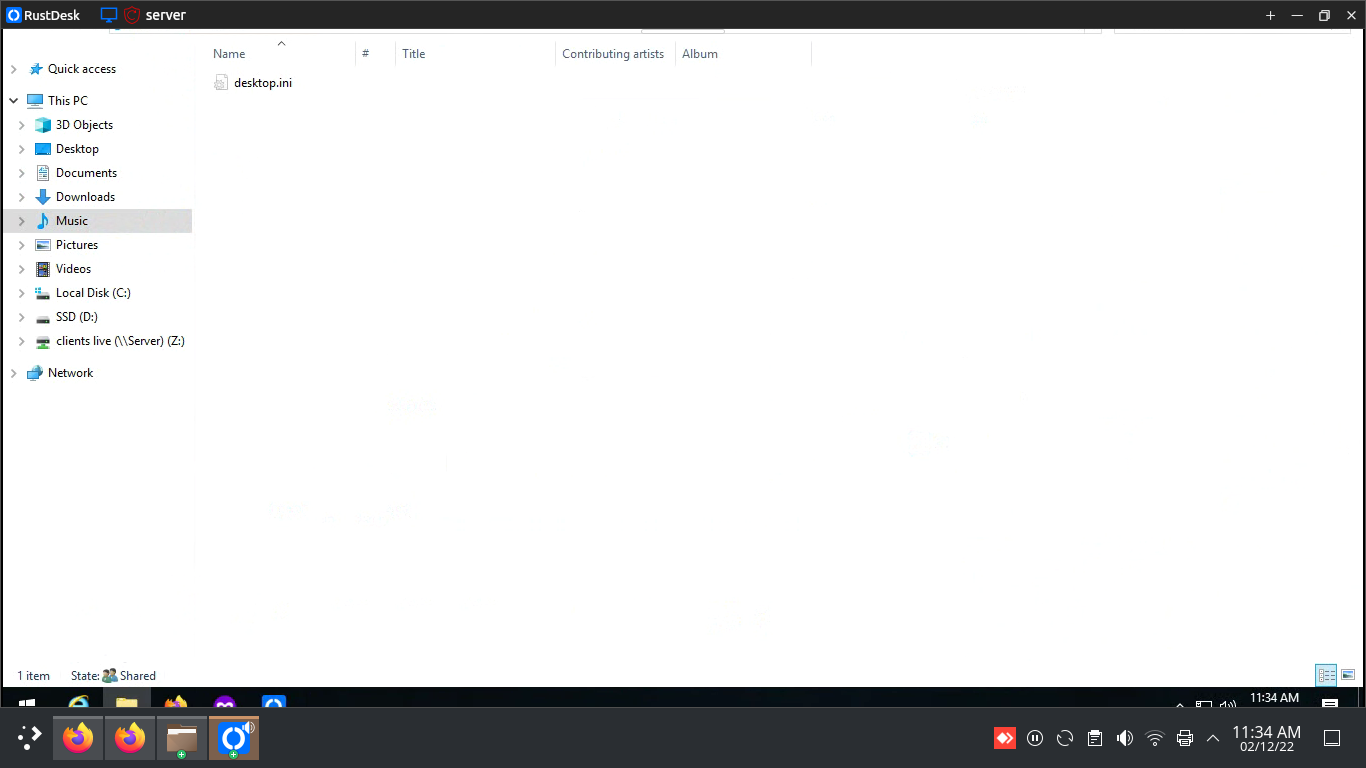
i "really really like" the original resolution for some reason but cannot stand scrolling. adaptive doesnt have that nice feeling
i dont know if the screenshots help my case but the original looks so much better
@zhihaoHappyeveryday commented on GitHub (Dec 23, 2022):
I feel the same way
@thorstenwagner commented on GitHub (Dec 30, 2022):
me too! That is definitely missing
@fufesou commented on GitHub (Dec 30, 2022):
Maybe "Scale original" & "Scrollbar" can help you.
@thorstenwagner commented on GitHub (Dec 30, 2022):
Thanks! While this helpful a solution to adapt the resolution on the host screen ( and reset it on logout) would be much more convenient (like implemented in anydesk e.g).
@rustdesk commented on GitHub (Dec 30, 2022):
how does it do? can you give pictures about how to enable this on anydesk, and how does it look like?
@fufesou commented on GitHub (Dec 30, 2022):
@thorstenwagner Thanks, I've tried anydesk. I think it's a useful feature.
@thorstenwagner commented on GitHub (Dec 30, 2022):
This is how it looks before I enable it (Full screen & stretch activated):
Then I enable "Auto adapt resolution" (Full screen & stretch activated):
It basically sets the resolution on the host to the closest matching resolution of the client. What is very cool is, that if you close the session it resets the resolution to previous host solution.
@rustdesk commented on GitHub (Dec 30, 2022):
got it, it changes resolution of remote side.
@thorstenwagner commented on GitHub (Dec 30, 2022):
exactly!
@rustdesk commented on GitHub (Dec 30, 2022):
#1053
@rustdesk commented on GitHub (Jan 31, 2023):
@fufesou This issue is reassigned to @21pages
@sanebg commented on GitHub (Apr 24, 2024):
I can't believe 2 years later this is still not a feature. It's almost mandatory for good experience on mobile an remote pc's.
@CasparNuel commented on GitHub (Sep 25, 2024):
@rustdesk Is there any update on this feature? Is this planned or on the roadmap?