mirror of
https://github.com/louislam/uptime-kuma.git
synced 2026-03-02 22:57:00 -05:00
Auto dark mode does not respect system settings #124
Labels
No labels
A:accessibility
A:api
A:cert-expiry
A:core
A:dashboard
A:deployment
A:documentation
A:domain expiry
A:incidents
A:maintenance
A:metrics
A:monitor
A:notifications
A:reports
A:settings
A:status-page
A:ui/ux
A:user-management
Stale
ai-slop
blocked
blocked-upstream
bug
cannot-reproduce
dependencies
discussion
duplicate
feature-request
feature-request
good first issue
hacktoberfest
help
help wanted
house keeping
invalid
invalid-format
invalid-format
question
releaseblocker 🚨
security
spam
type:enhance-existing
type:new
wontfix
No milestone
No project
No assignees
1 participant

Notifications
Due date
No due date set.
Dependencies
No dependencies set.
Reference
starred/uptime-kuma#124
Loading…
Add table
Add a link
Reference in a new issue
No description provided.
Delete branch "%!s()"
Deleting a branch is permanent. Although the deleted branch may continue to exist for a short time before it actually gets removed, it CANNOT be undone in most cases. Continue?
Originally created by @LeviSnoot on GitHub (Aug 12, 2021).
Describe the bug
First of all, great job implementing a proper dark mode to the project! It looks great!
When I set the theme to "Auto", it stays in Dark Mode no matter what. I've tried changing system theme from light to dark and back.
To Reproduce
Steps to reproduce the behavior:
Expected behavior
Light mode when OS setting is light mode
Screenshots
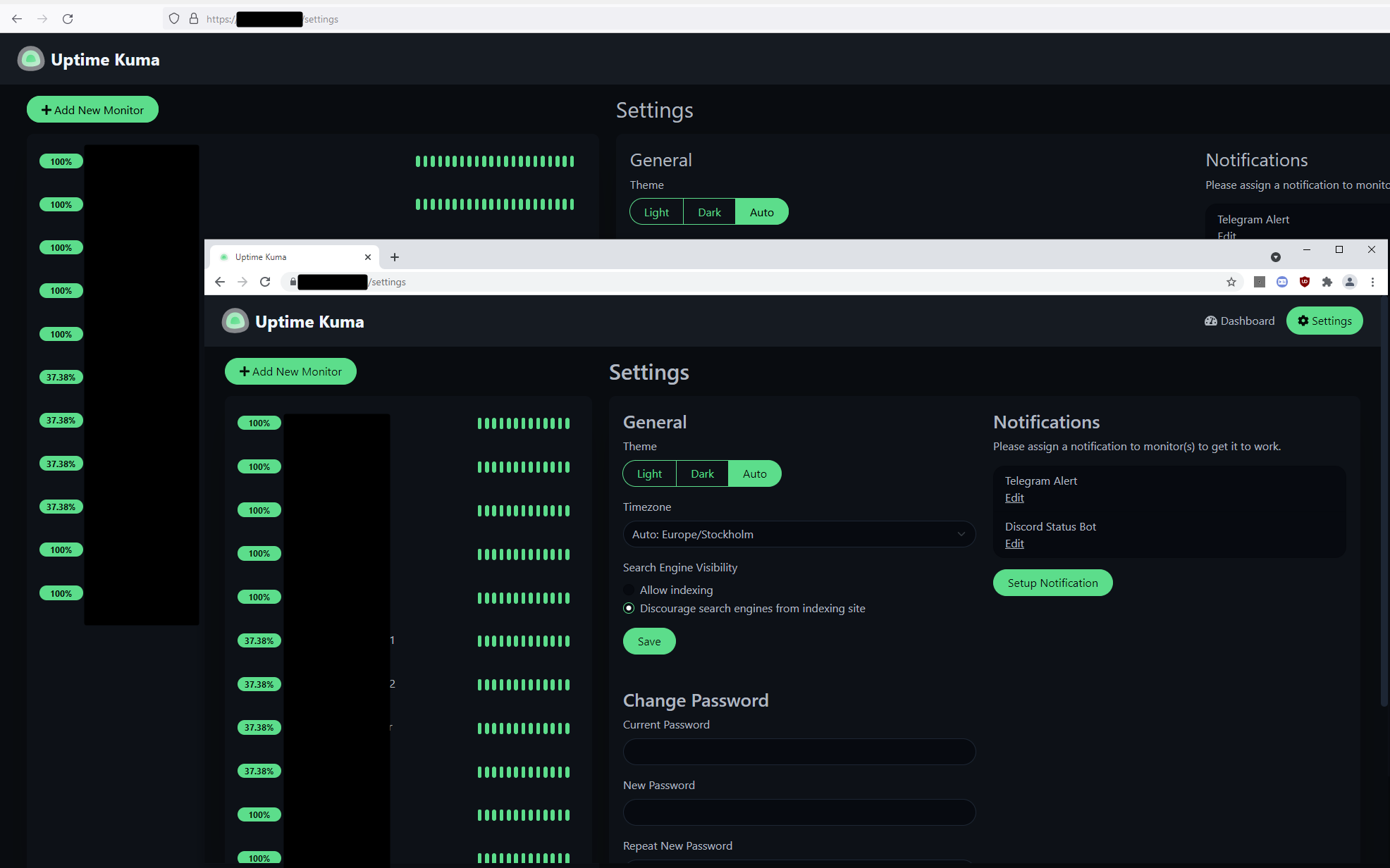
As you can tell by the window borders, the system setting is light mode, but uptime-kuma is still showing dark mode on auto. This is Chrome and Firefox.
Desktop (please complete the following information):
@louislam commented on GitHub (Aug 12, 2021):
Thanks for the report, should be fixed in
github.com/louislam/uptime-kuma@7ca80fc086.