mirror of
https://github.com/louislam/uptime-kuma.git
synced 2026-03-02 22:57:00 -05:00
Interface much too slow (even unreachable) #576
Labels
No labels
A:accessibility
A:api
A:cert-expiry
A:core
A:dashboard
A:deployment
A:documentation
A:domain expiry
A:incidents
A:maintenance
A:metrics
A:monitor
A:notifications
A:reports
A:settings
A:status-page
A:ui/ux
A:user-management
Stale
ai-slop
blocked
blocked-upstream
bug
cannot-reproduce
dependencies
discussion
duplicate
feature-request
feature-request
good first issue
hacktoberfest
help
help wanted
house keeping
invalid
invalid-format
invalid-format
question
releaseblocker 🚨
security
spam
type:enhance-existing
type:new
wontfix
No milestone
No project
No assignees
1 participant

Notifications
Due date
No due date set.
Dependencies
No dependencies set.
Reference
starred/uptime-kuma#576
Loading…
Add table
Add a link
Reference in a new issue
No description provided.
Delete branch "%!s()"
Deleting a branch is permanent. Although the deleted branch may continue to exist for a short time before it actually gets removed, it CANNOT be undone in most cases. Continue?
Originally created by @tbringuier on GitHub (Nov 21, 2021).
Hi,
I've sync my uptime-kuma to my local computer to get some debugs info, about my other reports for very slow web interface.
Now i cannot access it at all...
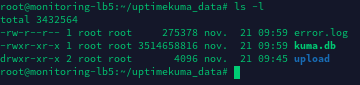
First, i remove from the downloaded folder every bak files, here is my left files :

I've set a data retention to 1 day but the db seems really big,
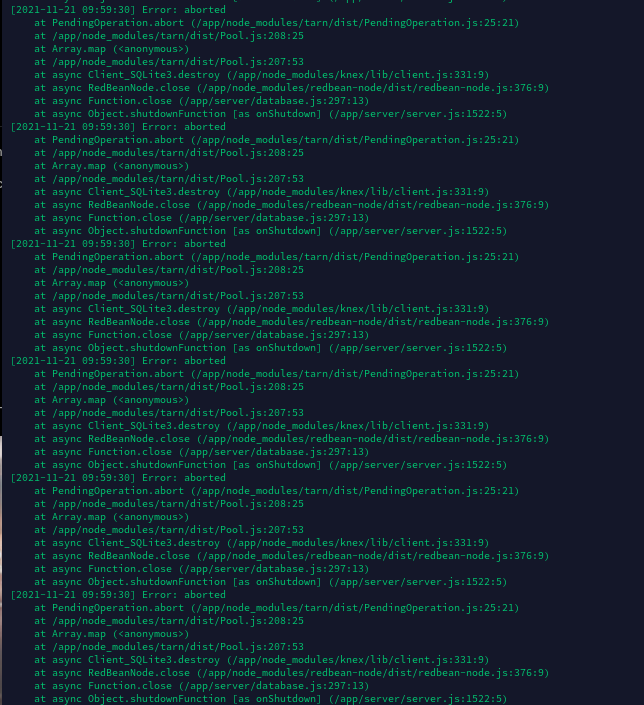
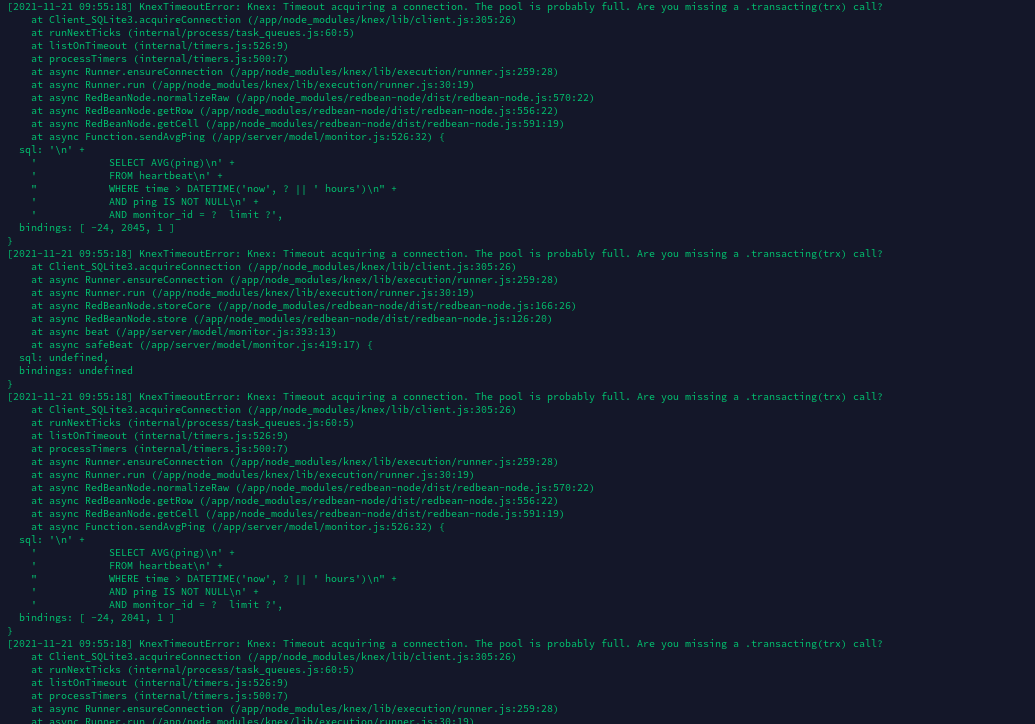
Also i was suprised of tons of error i had in error.logs
Then i started docker-compose up without detached to see logs,
i've 240 tests to do, every 30seconds.
First it checks withoutn any latency,
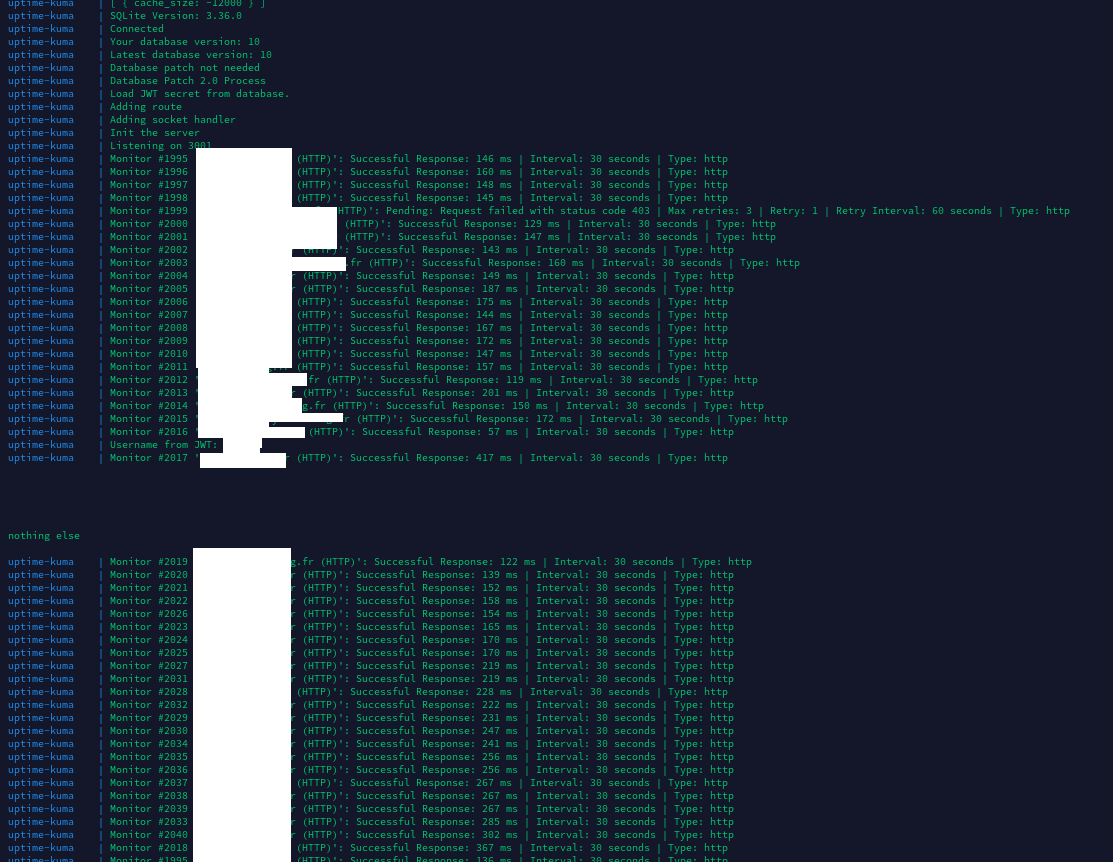
but then nothing. Huge wait, after i get logon
When i login, the logs seems to stop, idk if the checks continues in the background.
Also, when i refresh 5 times the web interface i get same errors as in my errors logs.
The cpu usage with 4 cores is at 100% every 20seconds.
With or without me to load the web interface.
I've migrated to different hosts, SSD, HDD, 4Ghz etc and nothing changes.
If you need more infos to debug, i can send you.
@tbringuier commented on GitHub (Nov 21, 2021):
Maybe using sqlite for those installations is bad, but i didn't see any options to switch database type
@tbringuier commented on GitHub (Nov 21, 2021):
Also, i cannot clean install because i can't even get the export.json
@chakflying commented on GitHub (Nov 21, 2021):
Most people have problem with the database if they run it on network storage, which is not supported by SQLite. Also, if you delete the
kuma.db-walfile, according to this it may corrupt the database.Regarding the large database size,
1.10introduced the database "VACUUM" button, which is required to actually reclaim disk space from old database files, so this is normal.@tbringuier commented on GitHub (Nov 22, 2021):
I'm not running it over network storage, my instance in production hasn't any removed files.
And the vaccum button saved me 6gigabytes over 30
@jananathbanuka commented on GitHub (Jun 13, 2022):
I have the same problem, and I am using
AWSebs volumes and I have data only consuming around 500 MB. And I have around 3.5 GB left but still having the same issue as @MichelBaie@kcleong commented on GitHub (Aug 12, 2022):
Same problem here, using docker-compose on a Linode VPS. This is the stack trace I am seeing: https://gist.github.com/kcleong/10a25ef3e898a9dd3a22e242f8694a93 when I run
docker-compose up.The strange thing is this error dissapears after stopping the container, and running the up command again. The Uptime Kuma still shows and empty dashboard (0 up / down). In my setup there are around 200 sites which are being monitored.
@github-actions[bot] commented on GitHub (Nov 10, 2022):
We are clearing up our old issues and your ticket has been open for 3 months with no activity. Remove stale label or comment or this will be closed in 2 days.
@github-actions[bot] commented on GitHub (Nov 12, 2022):
This issue was closed because it has been stalled for 2 days with no activity.