mirror of
https://github.com/louislam/uptime-kuma.git
synced 2026-03-02 22:57:00 -05:00
Issue Setting up Telegram Notification #582
Labels
No labels
A:accessibility
A:api
A:cert-expiry
A:core
A:dashboard
A:deployment
A:documentation
A:domain expiry
A:incidents
A:maintenance
A:metrics
A:monitor
A:notifications
A:reports
A:settings
A:status-page
A:ui/ux
A:user-management
Stale
ai-slop
blocked
blocked-upstream
bug
cannot-reproduce
dependencies
discussion
duplicate
feature-request
feature-request
good first issue
hacktoberfest
help
help wanted
house keeping
invalid
invalid-format
invalid-format
question
releaseblocker 🚨
security
spam
type:enhance-existing
type:new
wontfix
No milestone
No project
No assignees
1 participant

Notifications
Due date
No due date set.
Dependencies
No dependencies set.
Reference
starred/uptime-kuma#582
Loading…
Add table
Add a link
Reference in a new issue
No description provided.
Delete branch "%!s()"
Deleting a branch is permanent. Although the deleted branch may continue to exist for a short time before it actually gets removed, it CANNOT be undone in most cases. Continue?
Originally created by @darksky82 on GitHub (Nov 23, 2021).
⚠️ Please verify that this bug has NOT been raised before.
🛡️ Security Policy
Description
I am trying to setup telegram notiffication. I have correctly entered the Bot Token and Chat ID (direct chat) and when I test the data the system throws the below message after a long time.
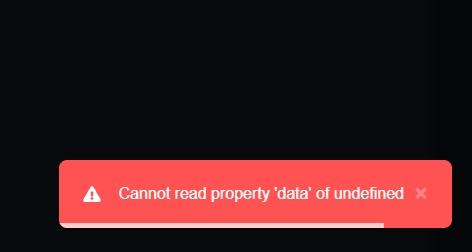
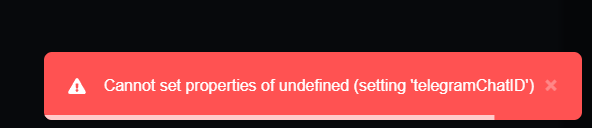
Even when I click on the "Auto Get" chat id button, I am given the below error. However, the api.telegram.org link works when I click on it and I get the Chat id from there.
👟 Reproduction steps
Try to Set Telegram Notification
👀 Expected behavior
Receive a successful test notification in Telegram
😓 Actual Behavior
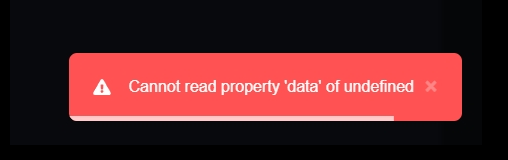
Receiving error message
🐻 Uptime-Kuma Version
1.10.2
💻 Operating System and Arch
Docker
🌐 Browser
Edge
🐋 Docker Version
No response
🟩 NodeJS Version
No response
📝 Relevant log output
No response
@chakflying commented on GitHub (Nov 23, 2021):
Looks like you somehow got it into an invalid state where it's setting up a non-existent notification. Was there any other errors that happened before, is there any error in the browser console, etc?
@louislam commented on GitHub (Nov 23, 2021):
Have you tried Chrome? Feel like a browser issue.
@darksky82 commented on GitHub (Nov 23, 2021):
Hi @louislam tried Chrome as well. Same effect.
@chakflying No console errors in both Chrome and Edge. Also checked firewall and adblocker. Not blocks there as well.
No other errors. Two monitors I setup are running smoothly. 2FA has been setup as well. Only issue is while trying to setup Telegram notification
Thanks.
@rezzorix commented on GitHub (Nov 23, 2021):
I have tried to re-produce this in Edge and on different platforms (docker on arm/raspian, x86/ubuntu20.04) and then have different Windows VMs with Edge and never got this error...
Did you make any settings in docker?
Can you post here what exactly your setup is?
Since you got only 2 monitors anyway it might be also an idea to delete the container and set it up again...
I suspect somewhere a user-error - so lets see how you started the container 😃
@darksky82 commented on GitHub (Nov 23, 2021):
@rezzorix Thanks for spending time on this. This is my docker setup
`version: '3.3'
services:
uptime-kuma:
image: louislam/uptime-kuma
container_name: uptime-kuma
volumes:
- uptimekuma:/app/data
ports:
- 3001:3001
volumes:
uptimekuma:
external: true`
I have also put this behind a nginx reverse proxy (subdomain) .
Thanks.
@rezzorix commented on GitHub (Nov 24, 2021):
Ok, I am more and more sure that it is not caused by uptime....
Are you running this on a local machine in your network or on a VPS?
Are you monitoring services on the same machine as uptime?
Maybe firewall rules do not allow your uptime container to reach Telegram API?
@darksky82 commented on GitHub (Nov 24, 2021):
Thanks for your response.
Are you running this on a local machine in your network or on a VPS? => VPS
Are you monitoring services on the same machine as uptime? => No two other VPS. Via Ping.
Maybe firewall rules do not allow your uptime container to reach Telegram API? => Ah. all outgoing is allowed. Incoming yes, only default ports that are required are allowed. Can you help me with what port/IP/URL must be allowed for this to work? I will double check or explicitly allow it
Just curious.... if it was some server-side thing causing the error, why did you doubt on the browsers?
@darksky82 commented on GitHub (Nov 24, 2021):
Thanks for your response.
Are you running this on a local machine in your network or on a VPS? => VPS
Are you monitoring services on the same machine as uptime? => No two other VPS. Via Ping.
Maybe firewall rules do not allow your uptime container to reach Telegram API? => Ah. all outgoing is allowed. Incoming yes, only default ports that are required are allowed. Can you help me with what port/IP/URL must be allowed for this to work? I will double check or explicitly allow it
Just curious.... if it was some server-side thing causing the error, why did you doubt on the browsers?
@rezzorix commented on GitHub (Nov 24, 2021):
I think @louislam was hinting at a browser issue.
Which it still could be...
From my side I was just trying to see if it maybe is config error or..
But your setup seems ok since your monitors are working and also monitoring stuff outside of the network of your uptime instance.
Any browser plugins that might block stuff?
@louislam commented on GitHub (Nov 24, 2021):
I still don't have any idea.
Maybe you can try the demo:
https://demo.uptime.kuma.pet
@darksky82 commented on GitHub (Nov 26, 2021):
Sorry for the delay on this. Well it was a server issue. Iptables was configured to restrict access to all ports to few specific IPs.
Removed this rule and it worked. However outgoing connections were allow all. Maybe I will dig into telegram api documentation and figure out why this is happening.
@it-pappa commented on GitHub (Dec 18, 2021):
I am still having this issue.
Started today after i rebooted the host vm to patch vcenter etc.
I have tryed alot of things including remove the docker bridge and rebuild it since it looks like an error in docker network? Not sure, but no other container seems to have any issues other then this.
I can not add Telegram notification again, also tryed to redeploy the container.
@louislam commented on GitHub (Dec 18, 2021):
Always try https://demo.uptime.kuma.pet. If it is ok, usually it is your network issue.
You should try to find out what blocked the connection to https://api.telegram.org/
@it-pappa commented on GitHub (Dec 18, 2021):
@louislam
I also think it is a networking issue. I installed vMotion after a bunch of VMs. I have my evening sorted out for me now. Redeploy this whooooole thing maby :/