1
0
Fork 0
mirror of https://github.com/requarks/wiki.git synced 2026-03-02 22:06:55 -05:00

Run the project Remote Containers - Reopen in Container Windows 10 #1459

Closed
opened 2026-02-20 18:10:54 -05:00 by deekerman · 3 comments
Owner

Originally created by @lavebug on GitHub (Apr 30, 2020).

Originally assigned to: @NGPixel on GitHub.

Describe the bug
Installing dockerized development environment on Windows 10 getting an error

To Reproduce
Steps to reproduce the behavior:

  1. Clone github repo.
  2. Install Docker Desktop (includes Docker Compose) Windows 10 pro 1903.
  3. Install Visual Studio Code, install extension Remote Development, click green button selected Remote Containers - Reopen in Container.
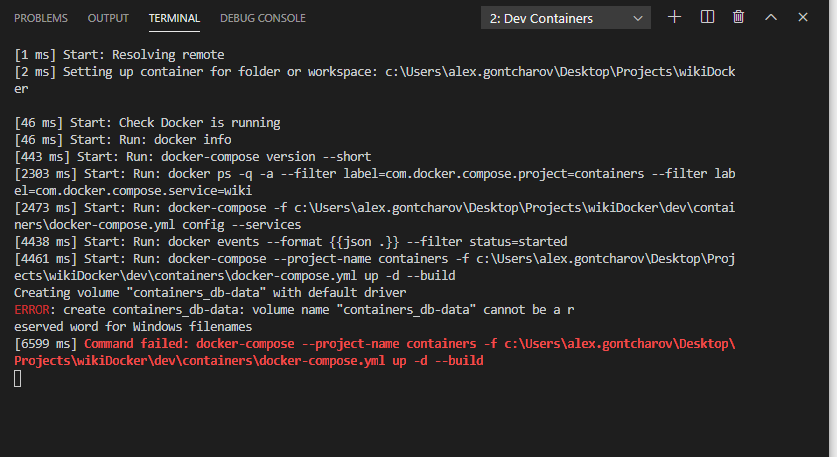
  4. Got this:
    ERROR: create containers_db-data: volume name "containers_db-data" cannot be a reserved word for Windows filenames
    [6599 ms] Command failed: docker-compose --project-name containers -f c:\Users\alex.gontcharov\Desktop\Projects\wikiDocker\dev\containers\docker-compose.yml up -d --build

Expected behavior
Have dev enviroment running without errors

Screenshots
image

Host Info (please complete the following information):

  • OS: Windows 10 Pro 1903, Docker desktop 2.2.0.5, Engine 19.03.8 Compose 1.25.4
  • Wiki.js version: 2.0.0
  • Database engine: postgres 11.7-4 64bit
Originally created by @lavebug on GitHub (Apr 30, 2020). Originally assigned to: @NGPixel on GitHub. **Describe the bug** Installing dockerized development environment on Windows 10 getting an error **To Reproduce** Steps to reproduce the behavior: 1. Clone github repo. 2. Install Docker Desktop (includes Docker Compose) Windows 10 pro 1903. 3. Install Visual Studio Code, install extension Remote Development, click green button selected Remote Containers - Reopen in Container. 4. Got this: ERROR: create containers_db-data: volume name "containers_db-data" cannot be a reserved word for Windows filenames [6599 ms] Command failed: docker-compose --project-name containers -f c:\Users\alex.gontcharov\Desktop\Projects\wikiDocker\dev\containers\docker-compose.yml up -d --build **Expected behavior** Have dev enviroment running without errors **Screenshots** ![image](https://user-images.githubusercontent.com/2514455/80773992-df4c0a80-8b18-11ea-8804-fa7b21b313a2.png) **Host Info (please complete the following information):** - OS: Windows 10 Pro 1903, Docker desktop 2.2.0.5, Engine 19.03.8 Compose 1.25.4 - Wiki.js version: 2.0.0 - Database engine: postgres 11.7-4 64bit
deekerman 2026-02-20 18:10:54 -05:00
Author
Owner

@NGPixel commented on GitHub (Apr 30, 2020):

I'm on Windows 10 Pro 1909, same versions for docker, and it works just fine.

Try upgrading to Windows 1909? As this seems to be the only difference.

@NGPixel commented on GitHub (Apr 30, 2020): I'm on Windows 10 Pro 1909, same versions for docker, and it works just fine. Try upgrading to Windows 1909? As this seems to be the only difference.
Author
Owner

@lavebug commented on GitHub (May 1, 2020):

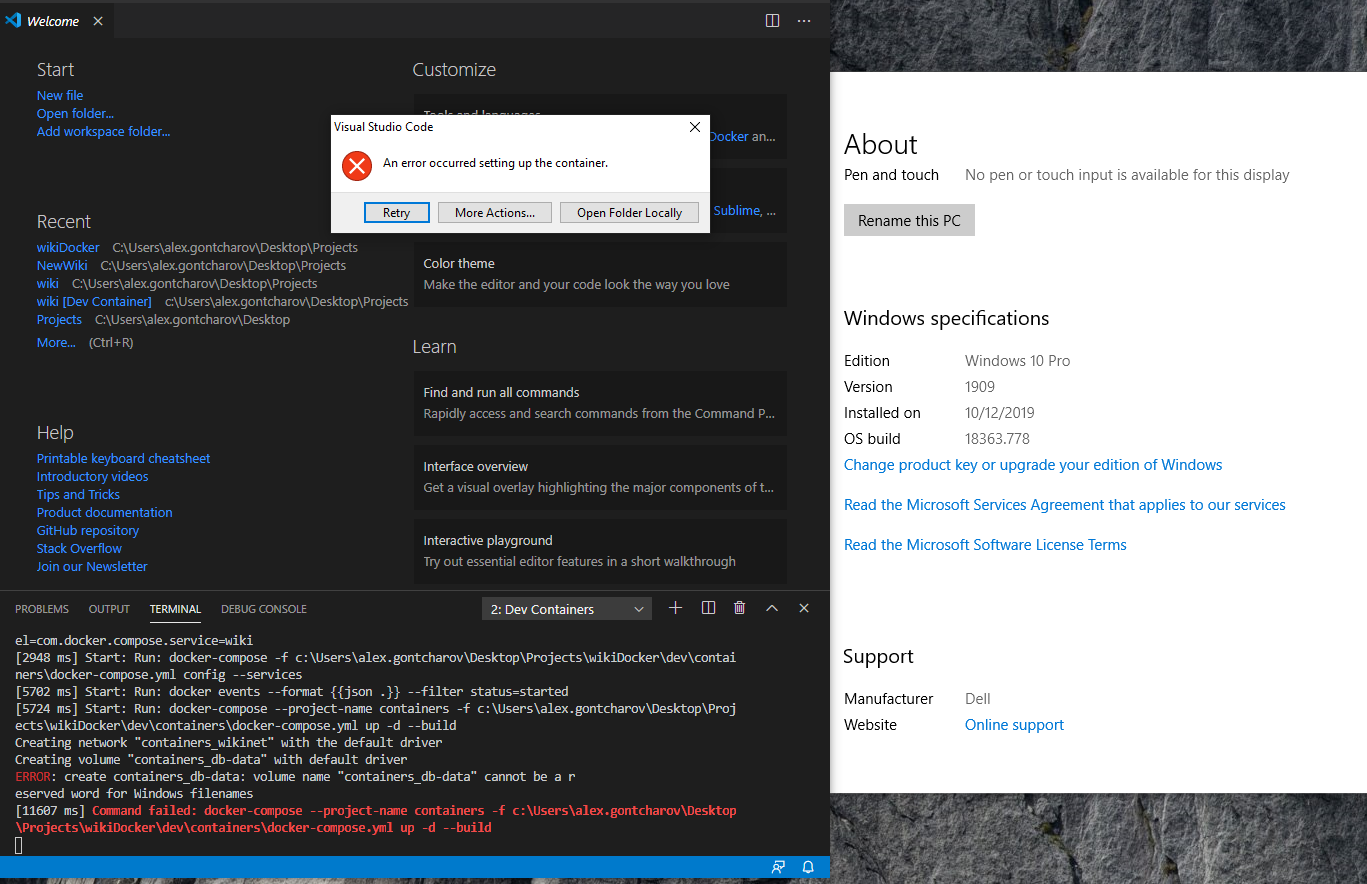
Do I need ti install Docker and Docker Desktop? Same thing on 1909. I do not have WSL. Can I do it without VSCode Remote Development extention?
image

@lavebug commented on GitHub (May 1, 2020): Do I need ti install Docker and Docker Desktop? Same thing on 1909. I do not have WSL. Can I do it without VSCode Remote Development extention? ![image](https://user-images.githubusercontent.com/2514455/80820470-275c4300-8b94-11ea-9e3c-cf69ec447505.png)
Author
Owner

@NGPixel commented on GitHub (Jun 1, 2020):

See https://docs.requarks.io/dev#using-docker-generic for instructions without using VS Remote Dev

@NGPixel commented on GitHub (Jun 1, 2020): See https://docs.requarks.io/dev#using-docker-generic for instructions without using VS Remote Dev
Sign in to join this conversation.
No milestone
No project
No assignees
1 participant
Notifications
Due date
The due date is invalid or out of range. Please use the format "yyyy-mm-dd".

No due date set.

Dependencies

No dependencies set.

Reference
starred/wiki-requarks#1459
No description provided.