mirror of
https://github.com/requarks/wiki.git
synced 2026-03-02 22:06:55 -05:00
Navigation menu breaks when new pages are imported from Git #2062
Labels
No labels
BETA
BETA
accessibility
backlog
bug
can't replicate
contrib-easy
contrib-hard
contrib-medium
deferred
documentation
duplicate
duplicate
editors
enhancement
invalid
localization
migrate
ui
under review
v3
No milestone
No project
No assignees
1 participant

Notifications
Due date
No due date set.
Dependencies
No dependencies set.
Reference
starred/wiki-requarks#2062
Loading…
Add table
Add a link
Reference in a new issue
No description provided.
Delete branch "%!s()"
Deleting a branch is permanent. Although the deleted branch may continue to exist for a short time before it actually gets removed, it CANNOT be undone in most cases. Continue?
Originally created by @eeriksp on GitHub (Sep 21, 2020).
Originally assigned to: @NGPixel on GitHub.
Describe the bug
After importing some
.mdfiles from Git, no pages are shown in the navigation drawer and the loading circle in the top right corner will be looping endlessly. On the console there is the messageCould not find current page in page tree listing!.To Reproduce
Steps to reproduce the behavior:
However, this does not always produce a bug. Usually it worked just fine. In the folder which produced the problem, there was one file without the the
.mdextension, perhaps this causes the problem.Screenshots
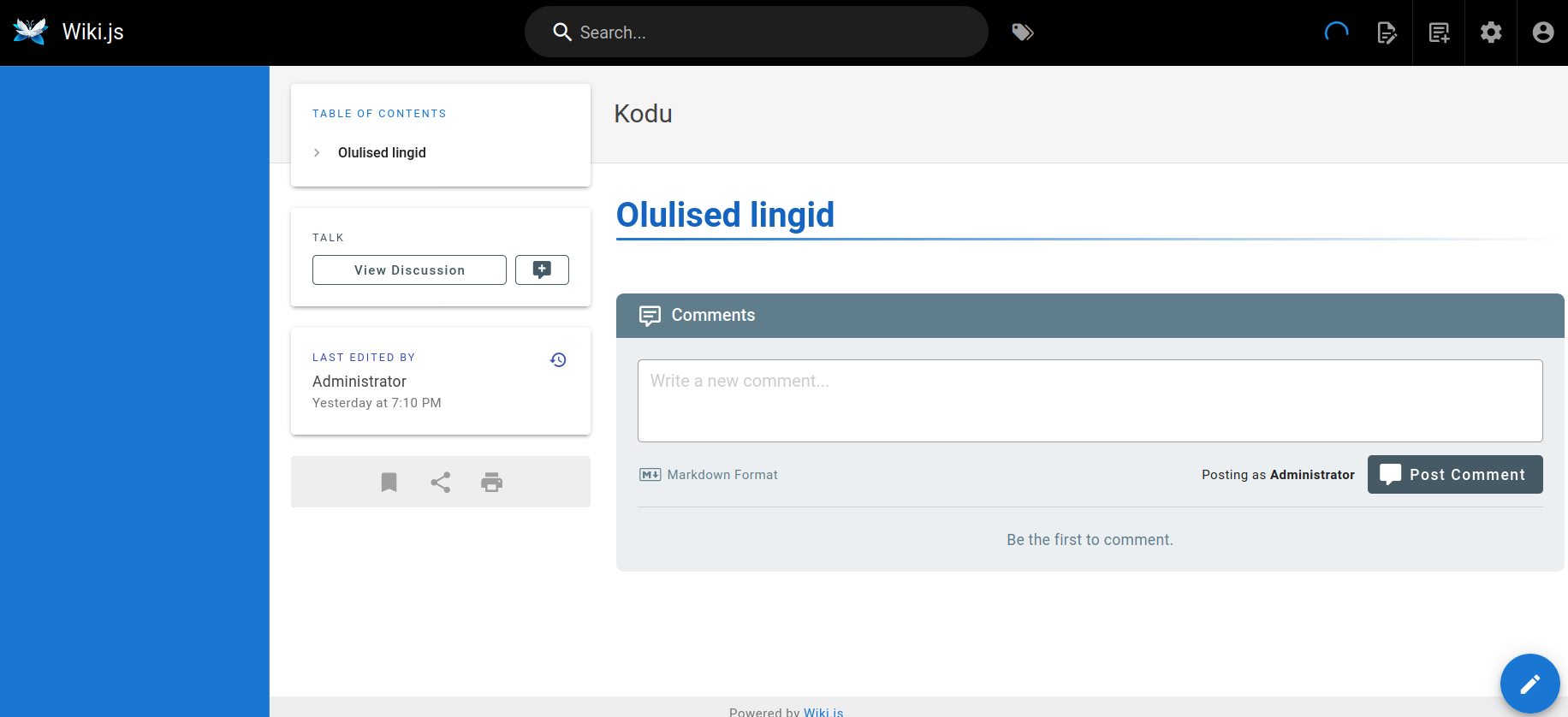
Host Info (please complete the following information):
Additional context
I have tried to fix the error by going to the Administration area > Utilities and executing
@pchinery commented on GitHub (Oct 14, 2020):
This is the same bug as in #1503 and can be hot-fixed as mentioned in #2553 (I had the same issue and have just verified this with my instance)