mirror of
https://github.com/requarks/wiki.git
synced 2026-03-02 22:57:36 -05:00
Video is not rendered in view mode, but is ok in edit mode #1083
Labels
No labels
BETA
BETA
accessibility
backlog
bug
can't replicate
contrib-easy
contrib-hard
contrib-medium
deferred
documentation
duplicate
duplicate
editors
enhancement
invalid
localization
migrate
ui
under review
v3
No milestone
No project
No assignees
1 participant

Notifications
Due date
No due date set.
Dependencies
No dependencies set.
Reference
starred/wiki#1083
Loading…
Add table
Add a link
Reference in a new issue
No description provided.
Delete branch "%!s()"
Deleting a branch is permanent. Although the deleted branch may continue to exist for a short time before it actually gets removed, it CANNOT be undone in most cases. Continue?
Originally created by @akavato on GitHub (Feb 10, 2020).
Originally assigned to: @NGPixel on GitHub.
Describe the bug
Youtube embedded video is not rendered in view mode, but is ok in edit mode
To Reproduce
Steps to reproduce the behavior:
Expected behavior
Video should be rendered for viewing, but it's invisible.
Host Info (please complete the following information):
@Jhobean commented on GitHub (Feb 10, 2020):
Same here. On the night mode.
Google chrome on windows 10
@NGPixel commented on GitHub (Feb 15, 2020):
Videos are not yet supported in the rendering pipeline.
@joppehoekstra commented on GitHub (Mar 20, 2020):
Any idea as to when this will be implemented?
@newfoundfreedom commented on GitHub (Mar 30, 2020):
I too have just discovered this bug. Embed video shows just fine in edit mode (whether using Markdown or WYSIWYG editors), but page render fails.
Thanks for all the hard work on this app - embed vids would really help.
@brewerc1 commented on GitHub (Apr 9, 2020):
Perhaps a good approach would be to hide the interface element for features that are not yet supported.
@despens commented on GitHub (May 10, 2020):
It is possible to embed videos via iframes if HTML sanitation is turned off in
Administration→Rendering→HTML→Security→Sanitize HTML@grandixximo commented on GitHub (May 31, 2020):
Also came across this, hope the feature will be implemented soon!
@j0lol commented on GitHub (Jun 4, 2020):
is it possible to embed iframes in the WYSIWYG or markdown editor?
@ccolella-mdc commented on GitHub (Jun 8, 2020):
While I am able to use iframes thanks to @despens suggestion, the content fails to load when I am using assets that are uploaded into the editor's asset manager. I was able to display these through a hack before the latest update but now I cannot anymore.
While most of my users can figure out an iframe (either through google, asking me, or looking at an example I did) they cannot upload assets elsewhere like I can.
@dude1756 commented on GitHub (Jun 16, 2020):
Is there any timeline for implementing support for videos in rendering pipeline? And will this include local video assets? I really like wiki.js but building up a user manual without videos is a bit frustrating. Hope this can be fixed soon.
@tenwalls commented on GitHub (Jul 6, 2020):
Ooh, just encountered this issue. Good there is a temporary workaround
@gengue commented on GitHub (Aug 12, 2020):
Videos still not showing, even with "Allow frames" on and "Sanitize HTML" off.
@ideasandpixels commented on GitHub (Aug 19, 2020):
Anything here? Pretty big deal.
@ccolella-mdc commented on GitHub (Aug 19, 2020):
this embed share link code from youtube works for me:
And changing the source to a local video also works:
note: it still works without the allow attribute and that content but i'm not sure if that help it with anything. maybe on mobile. and you can play with the hight and width, or use css for them. Like this:
My Settings:
Security > Block IFrame Embedding: off
Rendering > html > Sanitize HTML: on
Rendering > html > Allow iframes: on
the first one allows you assets to be loaded in an iframe. The third one allows you to have an iframe on your site.
The middle one can be set to either one but on does not hidner you in doing this.
@ryanmasuga commented on GitHub (Oct 9, 2020):
Would love to have this feature without needing any type of workaround, because I agree with @dude1756 that a "building up a user manual without videos is a bit frustrating".
I tried @ccolella-mdc's settings and can get videos to show in Markdown, but I couldn't get WYSIWYG to work.
What I did for responsively sized videos in Markdown:
So now we add:
on any page where we need a responsively sized YouTube video.
@ryanmasuga commented on GitHub (Oct 9, 2020):
Further - does anyone have a clear explanation of how to get an iframe to show on a WYSIWYG page? I must be confused - I don't see any way to edit source directly on a WYSIWYG page, so I'm not clear how to manually embed an iframe that would actually output an iframe. Is this only possible with the Markdown page type?
@ccolella-mdc commented on GitHub (Oct 9, 2020):
@ryanmasuga It also works (surprise, surprise) on the HTML editor. I don't use the WYSIWYG editor because it has so many fewer features, and, as a software engineer myself, it feels too limiting.
@NGPixel commented on GitHub (Oct 9, 2020):
@ryanmasuga The WYSIWYG editor is not an HTML editor and it's not possible to edit / insert HTML code because CKEditor 5 simply doesn't have that feature.
Use the Markdown editor if you need to edit / insert HTML code in your page.
@ryanmasuga commented on GitHub (Oct 9, 2020):
@ccolella-mdc I hadn't tried the HTML page type yet, but yes - the responsive embed code works there, too.
@NGPixel Thanks. I know some WYSIWYG editors have a "Source" button that can expose the underlying HTML (useful for when something gets so bungled you have to manually fix it...), but I guess that's not the case here. We'll likely carry on with Markdown pages.
@Jhobean commented on GitHub (Oct 9, 2020):
I think There a solution in progress by @KingRial https://github.com/Requarks/wiki/pull/2160.
Me too I need this implementation...
@idimitrakopoulos commented on GitHub (Jan 7, 2021):
Another solution is to use youtube's video images to display the video until this is fixed.
i.e.
http://img.youtube.com/vi/{video-id}/0.jpg
Like so ...
[](https://www.youtube.com/watch?v=KOxbO0EI4MA "Audi R8")Technically this is NOT embedding (link is opened in new tab) but for our case it works until it's fixed.
Oh and this only works in Markdown. WYSIWYG editor doesn't have the functionality to link an external image :(
@felixgoldstein commented on GitHub (Jan 15, 2021):
+1
@jebr commented on GitHub (Jan 29, 2021):
Is the fix for this issue planned in an upcoming release?
@hasielhassan commented on GitHub (Feb 12, 2021):
@NGPixel I read on CKEditor documentation that embedded html is indeed a feature, can it be turned on ?
https://ckeditor.com/docs/ckeditor5/latest/features/html-embed.html
@MaxWaldorf commented on GitHub (Jun 8, 2021):
Hoping to see this feature coming soon!
@stukev commented on GitHub (Jun 21, 2021):
This is direly needed. I'm very surprised it's not included.
Edit: I've created a workaround that might be of use to other people. It's a simple jQuery script. You can add it in the backend under Theme ⇾ Code Injection ⇾ Head HTML injection, and it'll resolve this problem entirely.
@nideKer commented on GitHub (Jun 24, 2021):
@stukev it's works greate for me!
Many thanks!
@bonesoul commented on GitHub (Jul 6, 2021):
any updates on this?
@BitWiseSE commented on GitHub (Jul 21, 2021):
@stukev—this works for youtube perfectly, I am very grateful, thanks! Anyone have an idea how difficult it would be to have a similar workaround for Vimeo?
@stukev commented on GitHub (Jul 21, 2021):
@BitWiseSE that would be quite easy actually. just use the same code and replace the "rx" line with a regex to extract the vimeo id and replace the "$(this).replaceWith..." line with the embed code from vimeo.
@MaxWaldorf commented on GitHub (Jul 21, 2021):
I added the code but nothing coming up...
Anything specific to do on the WYSIWYG editor?
@BitWiseSE commented on GitHub (Jul 21, 2021):
Administration > Rendering > HTML > Security > Allow iframes (enable)
That is the only change I required to make it work with the script
provided by stukev
I am also using the WYSIWYG editor, inserting multimedia.
On 2021-07-21 7:48 AM, MaxWaldorf wrote:
@BitWiseSE commented on GitHub (Jul 22, 2021):
@stukev, thanks for the hints on vimeo, I'll give that a go and see if I can get it working
@BitWiseSE commented on GitHub (Jul 22, 2021):
Does anyone know how we can post code here, without it getting converted? In particular, I'm trying to put code that has a "div" tag in it, and it converts it. I tried the "< >" code mode, but that did not seem to do the trick.
@BitWiseSE commented on GitHub (Jul 22, 2021):
I won't pretend to know what I'm doing, but I extended @stukev's original code for youtube insertion, and added a "div" with CSS to make it responsive, so that it will size to the display.
Here is the HTML injection:
And here is the CSS that you need to override:
Hints on doing this were obtained from https://www.ostraining.com/blog/coding/responsive-videos/
@grandixximo commented on GitHub (Jul 22, 2021):
<div> </div>@BitWiseSE commented on GitHub (Jul 22, 2021):
thanks @grandixximo, I had tried but with a whole block
I will edit my post! :)
update... I tried, but failed, does not seem to want to work when embedding in other code, I guess?
2nd update... got it. I placed the cursor on the "div" block, and click on the code block, and it put them where they belong
thanks, now I know how :)
@grandixximo commented on GitHub (Jul 22, 2021):
You do not have the commenting out symbol on your keyboard, you have to use either ctrl+e or the insert code button after selecting your entire code
all three of those will pop out by themself if you highlight your code and you press ctl+e on your keyboard
@BitWiseSE commented on GitHub (Jul 22, 2021):
super, even easier, thanks!
@grandixximo commented on GitHub (Jul 23, 2021):
@BitWiseSE what version are you on? I cannot get my videos to show up
@grandixximo commented on GitHub (Jul 25, 2021):
I got it wo work on WYSIWYG on latest version
had to disable Sanitize HTML
and then add this to the theme
I think in HTML pages you have to enable rendering => HTML => security => allow iframes, and disable Security => block Iframes Embedding
@nehpetsyar commented on GitHub (Jul 29, 2021):
I've tried to follow along with instruction/conversation that @grandixximo and @BitWiseSE have, but I cannot get it to work for Vimeo. I'll mention I am not a web person, and make no claims to have any idea of what I'm doing here. I'm just IT and have been given responsibility to set up a Wiki. The lack of native video embedding is a major killer if I can't find a work around, I thought for sure this would have been built into a modern wiki platform. I've allowed iframes, and disabled block iframes embedding and disabled html sanitization. Could anyone find it in their heart to modify the HTML injection and instruction mentioned above to allow for Vimeo? Or is it staring me in the face and I'm just missing it. A thousand thank you's a head of time to anyone that takes the time to assist. This would pertain to using the WYSIWYG editor, as none of us on my end are web developers of any kind.
@BitWiseSE commented on GitHub (Jul 29, 2021):
It's on my to-do list as I need this as well (the current instructions
are for youtube only). I will try this evening, but if someone else can
try before that, that would be even better :)
On 2021-07-29 11:53 AM, nehpetsyar wrote:
@nehpetsyar commented on GitHub (Jul 29, 2021):
I understand if you cant get to it, we have lives to live. Whoever takes that on would be a lifesaver, and would have the gratitude of our team and myself. At the very least though, I really do appreciate the quick response.
@grandixximo commented on GitHub (Jul 29, 2021):
I'm not a developer myself, so the code is probably not the most elegant, but this works for me, youtube and vimeo both
The youtube iframe should work just like it did before, the Vimeo I added I only tested with few videos, hope it works well for you!
@NGPixel commented on GitHub (Jul 29, 2021):
There's absolutely no need for loading an heavy library like jQuery nowadays... Plain javascript is more than enough.
Also, binding on the load event doesn't guarantee that Vue has finished rendering the page, you should register a callback with the boot loader instead (and add a small setTimeout just to be safe), e.g.:
@grandixximo commented on GitHub (Jul 29, 2021):
Changed the timeout to window.onload to be sure the page is fully loaded before running the script, I removed the use of jQuery and this is the new HTML injection that works for me, youtube and vimeo both, thanks to @NGPixel @BitWiseSE and @stukev
Again I code only for fun, so this is NOT elegant code, but it should work
For whomever reads only this, you still have to DISABLE rendering => HTML => security => Sanitize HTML
@BitWiseSE commented on GitHub (Jul 30, 2021):
Wow, super grateful to all for getting this elegant solution together!
Two comments:
@grandixximo commented on GitHub (Jul 30, 2021):
For the first comment the CSS for video-responsive is not necessary, it just makes the videos fit the screen, too big IMO, although it is more similar to the WYSIWYG preview, I prefer the more common 640x360 view, at least on PC.
For your second comment, the reason why it didn't work with two videos is because the delay was not working well, I changed it to execute the code only after the page is completely loaded, as the code scans the page for the wrong embedding and fixes it, if the embedding is not there, then the script wont be able to fix the embedding as it only runs once, I tested with ctrl+F5 and it works well (takes about 30 seconds to reload the whole wiki, and the videos will only pop up at the very end) that should take care of that, I edited my old post with refined script
@BitWiseSE commented on GitHub (Jul 30, 2021):
Thanks, I tried you updated script, and that works. The reason I want the sizing video is for use on a phone, but yeah, indeed typically too big on a PC browser window.
@grandixximo commented on GitHub (Jul 30, 2021):
I've also added local .mp4 videos, this script in addition to vimeo and youtube, also scans for links that end with .mp4 and transforms them in embedded videos, and is a desperate attempt to keep it less than 30 lines 🤣 , use at your own discretion.
Also made this CSS Override, to fit the screen on mobile, while on desktop size will remain fixed at 640x360
new HTML injection
For whomever reads only this, you still have to DISABLE rendering => HTML => security => Sanitize HTML
@nehpetsyar commented on GitHub (Jul 30, 2021):
Wow thank you all for your help, I will give this a shot today first chance I get. I appreciate the assistance and everyone taking time out of their day for this.
Edit:
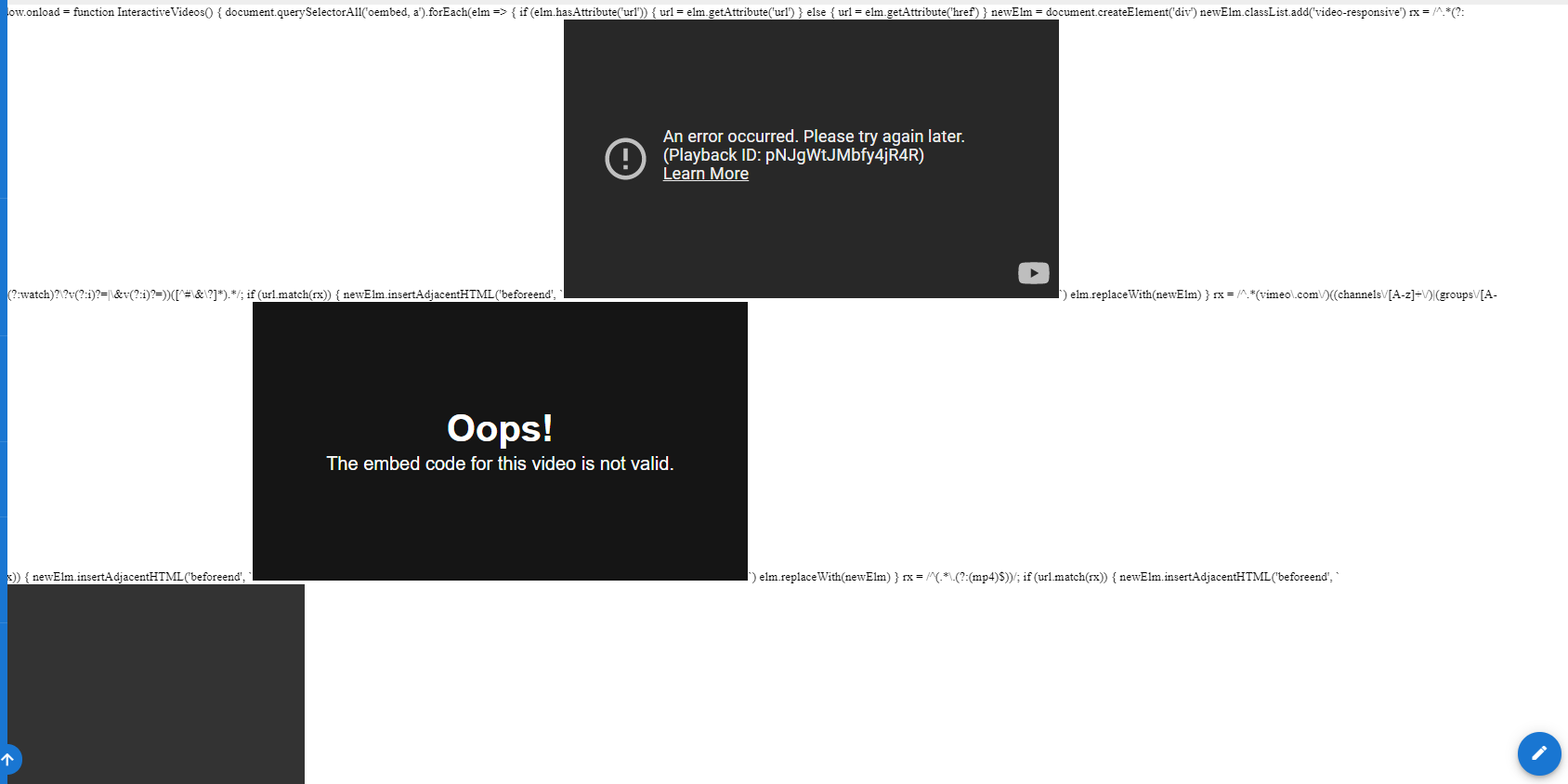
So I have added the CSS override code in its respective spot on the Theme page. I also added the HTML injection into the Head (also tried Body) HTML Injection section on the same Theme Page from the @grandixximo post just above. I must be doing something wrong or missing a step. In the body of every page there are blank video's of each player type on every page, as well of bits of code to each side of them. I'll have a screenshot attached. I apologize for asking more, It may be something simple staring at me. Any Ideas?
@grandixximo commented on GitHub (Jul 30, 2021):
Forgot the script tags, I modified my previous post, try now
@nehpetsyar commented on GitHub (Jul 30, 2021):
Ah! Thank you so much, its working wonderfully now. I'm immensely grateful, and this absolutely saved the project for us!
@NGPixel commented on GitHub (Jul 31, 2021):
The regex should be defined outside the loop. Recreating it on every loop iteration is highly innefficient. Also refactored some vars definition which shouldn't be global (always declare variables and use let / const).
This should be significantly faster:
@Aulma commented on GitHub (Aug 24, 2021):
Updated the Regex for youtube to include also the timestamp/starttime for embeds.
Probably won't work for more complex youtube links with more "settings".
I really hope this gets soon completely implemented into the rendering engine.
It's also annoying if a video isn't embeddable by content creator restriction... but the link still gets converted into a iframe.
@3id0 commented on GitHub (Mar 7, 2022):
@NGPixel script worked well for me until now but it seems the
|v\/part also matches urls with the .dev TLD likecontainrrr.dev/watchtower@cyb3rathl3t3 commented on GitHub (Jan 17, 2023):
Good evening, I am quite certain this is probably going to be the silliest question on this board. However, I am not a developer and my coding skills are null. I am having this same problem where a youtube share http:// link appears to work but upon exit, It is not rendered. I see several code examples here that claim to work. If I were to successfully copy one of them and attempt to insert that solution into my wiki, where exactly and how would I accomplish that task? Is this accomplished under the view source link in each page? Thank you
538755
@grandixximo commented on GitHub (Jan 17, 2023):
@cyb3rathl3t3
Go into Administration in your wiki (click on gear icon up top right corner)
On the left side panel click Theme, and the css override and HTML head Injection are on the right side
The code you have quoted in your message is for HTML head injection.
Also need make sure to disable from the left panel rendering then on the right HTML => security => Security => Sanitize HTML
This "Sanitize HTML" option must be toggled off.
@cyb3rathl3t3 commented on GitHub (Jan 18, 2023):
@grandixximo Thank you I will try this later today!
@cyb3rathl3t3 commented on GitHub (Jan 18, 2023):
@ryanmasuga I proceeded with your instructions as indicated.
Located the Theme panel and HTML head injection section on the right hand side ( proceeded to paste code as-is from post above.
I disabled the Sanitize HTML option from Rendering-Security Panel as instructed. ( Security settings observations see image attached)
Unfortunately, Test results came back negative. YouTube share URL inserted into media option it looked as it would work in edit mode, hit save, Live version didn't produce the desired results.
Please advise. Thank you
@grandixximo commented on GitHub (Jan 19, 2023):
try to disable that
@cyb3rathl3t3 commented on GitHub (Jan 19, 2023):
@grandixximo thank you so much for your response. I disabled the block iframe under the security tab as instructed. Once again I attempted to share a youtube share link https://youtu.be/-mgenFHmCG4 by using the insert media function. However, I was foiled yet again. No positive results. I truly don't understand why this feature isn't enabled from the start. It is Paramount for any wiki.
I really appreciate your help. Any other suggestions?
@BitWiseSE commented on GitHub (Jan 19, 2023):
I have videos working in my Wiki. I also tested the link you provided
and was able to put that into my Wiki, and it works fine.
None of this (below) is my original work, it is all from previous posts.
I hope this helps.
Lastly, I am running my Wiki on a hosted solution, and it is version 2.5.292
Regards, Bruno
//////////////////////////////////////////////////////////////////////////////////////
Other than the Theme Code Injection, I found that the only other setting
required was to "Allow iFrames" (Modules > Rendering > HTML > Allow
iFrames). Note this is NOT the same as "Block iFrame Embedding" (System
Here is the 'Allow iFrames':
For completeness, here are my code injections (Site > Theme > Code
Injection > Head HTML Injection):
On 2023-01-19 2:09 AM, cyb3rathl3t3 wrote:
@cyb3rathl3t3 commented on GitHub (Jan 20, 2023):
@BitWiseSE Thank you for all your help! I am running version 2.5.295. I tried your code as suggested copied and pasted into the Head HTML section in the settings Theme area. I also took a moment to double check Modules > Rendering > HTML > Allow-iFrames area. Which in my case it was disabled, so I did enable that option. Also reviewed block iframe and that was also enabled. In any case, I tried again and unfortunately it failed. I even tried the body section and that failed also. I don't know what could be causing this issue but its been since the start. I have been unable to add video since original install. Docker Container Ubuntu. Any other suggestions? I really appreciate the help from the board. Thank you
@BitWiseSE commented on GitHub (Jan 20, 2023):
I wonder if it might be a network issue, although I don't understand why
it would render in edit mode, but not in view mode.
Last idea, to maybe advance the trouble-shooting..
any browser)
'Network' area?
up in the 'Network' area?
That probably won't help, but I've run out of ideas.
(btw, I did more testing and the 'Modules > Rendering > HTML > Security
.. Bruno
On 2023-01-20 12:35 PM, cyb3rathl3t3 wrote:
@cyb3rathl3t3 commented on GitHub (Jan 20, 2023):
I understand the logic behind the network suggestion. However, other remote admins have the same issue. I do appreciate your help, but I am also at a loss. Like I think I have exhausted literally every option. Thank you for your help. I am not really quite sure where to go from here.
@cyb3rathl3t3 commented on GitHub (Jan 20, 2023):
@BitWiseSE

Here is an image of the location of the code injection
@cyb3rathl3t3 commented on GitHub (Jan 20, 2023):
@BitWiseSE here is a YouTube video link https://youtu.be/-mgenFHmCG4 (I have tried using)
@cyb3rathl3t3 commented on GitHub (Jan 20, 2023):
I normally go into the Edit Mode for the home page and paste the YouTube link in the insert media option for


the location desired.
@cyb3rathl3t3 commented on GitHub (Jan 20, 2023):
@BitWiseSE shows up fine in edit mode

Just not in live mode! :-(
@cyb3rathl3t3 commented on GitHub (Jan 20, 2023):
Does this take time? like Propagation?
@BitWiseSE commented on GitHub (Jan 20, 2023):
I've compared yours to mine, the only difference I see is the end, it
works in live mode!
When I mention possible network issues, if that is the (unlikely) case,
it could be a problem on the server, which would impact others, not only
you. It seems like a long shot, because you are rendering it in edit
mode (well, you are rendering an image of the start of the video, not
the video itself). I just don't know where else to look.
What does your screen look like in 'live' mode? Just blank?
Here is the video while the F12 (network) debug tool is activated,
notice the 'videoplayback' and the 'waterfall' which is not showing
errors (they would be in red). Such errors could be a hint as to the
source of the problem.
Of course, if you don't see anything at all in 'live' mode, then you
won't be able to see anything in F12 debug mode either.
I assume you have tried other browsers? Is there a browser setting
perhaps that is not allowing you see your videos when being displayed
that way (embedded in Wiki). I am using Edge and Chrome on a Windows 11
client machine, and both render the video 'live'. Again, long shot, but
when you are out of ideas.... what's left.. !
Hopefully someone else has ideas to help you.
.. Bruno
On 2023-01-20 1:54 PM, cyb3rathl3t3 wrote:
@grandixximo commented on GitHub (Jan 21, 2023):
Modules > Rendering > HTML > Allow-iFrames
Should not be enabled
@grandixximo commented on GitHub (Jan 21, 2023):
No, but you have to render the pages again, do some changes and save again should do it.
@dapug commented on GitHub (Feb 2, 2023):
I have done everything that @cyb3rathl3t3 has described and gotten the exact same results.
I'm also a little perplexed as to how this is an OPEN issue since Feb 2020, no fix, and the work-around is to open up XSS vulnerabilities, AND... still no love.
I mean, video is a pretty big deal. Is the entire industry user base of this not struggling?
@cyb3rathl3t3 commented on GitHub (Feb 2, 2023):
@dapug Please don't misunderstand, I am sorry you are experiencing the same frustration I am. However, I am so relieved to hear that someone else is having the same issue. It is still not a functional feature on my end. As you correctly mentioned. How could this feature go on abandoned for so long? Video is an integral part of any Platform. I don't understand.
@fumbles commented on GitHub (Mar 18, 2023):
I got youtube videos to work kinda in markdown
@Squadz commented on GitHub (Jun 18, 2023):
Description:
Tested with:
@cyb3rathl3t3 commented on GitHub (Jun 18, 2023):
It's not been addressed or fixed as far as I can tell. I have been checking up on it and the issue remains.
@grandixximo commented on GitHub (Jun 19, 2023):
@cyb3rathl3t3 Work around posted here works for me, can you post pictures of your rendering HTML security settings? and your security settings? make sure you apply and refresh them. also post the theming injection screenshot? also look at the console by pressing F12 on your browser if you see any errors there. Would you be willing to share admin access to your setup or a clean one for me to check? xoxorof826@aramask.com i've created this temporary mail for you to share the details, if you can run a new install I'll fix it on that.
@GabrielBaritz commented on GitHub (Jul 13, 2023):
The solution with the injectable code does not work.
@villaflaminio commented on GitHub (Jul 15, 2023):
One solution (not very convenient) that I found is to directly upload the video to wikijs as a resource.
Enable Modules > Rendering > HTML > Allow-iFrames
upload the file

convert page editor to RAW Html

insert where desired the HTML code (Warning, replace videoplayback(1).mp4 with the correct name of the uploaded resource):
@kimegede commented on GitHub (Jan 2, 2024):
Are we getting closer to a solution on this please?
@8fm7 commented on GitHub (Jan 8, 2024):
Dear @grandixximo , I used your instructions, but they didn't help me. However, with some edits, I managed to fix the error. Thank you very much!)
A UFO flew by and drop this:
@kimegede commented on GitHub (Jan 8, 2024):
@NGPixel possible to get this feature supported in the near future?
@grandixximo commented on GitHub (Jan 8, 2024):
@8fm7 I'm glad you made it work, hopefully will help others as well. I still hope to see a native solution sooner or later...
@Thorvarium commented on GitHub (Jun 6, 2024):
+1 here, would be very helpful to have a markdown way to put an uploaded video.
@TantanLight commented on GitHub (Jul 5, 2024):
+1 here :}
@murcoder commented on GitHub (Aug 12, 2024):
+1 please just add video embedding for visual editor! Not every content creator knows about coding.
@furynick commented on GitHub (Nov 29, 2024):
+1 also need video to be rendered, a picture is worth 1000 words, a video is worth 1000 pictures.
@pabloeltaco commented on GitHub (Dec 15, 2024):
Guys...Christmas is coming :-)
+1 for the video embedding
@elmaester commented on GitHub (Dec 30, 2024):
Having this unsolved for years is ridiculous. Not a serious project. Started using yesterday, stopping the use today. Will try something else.
@grandixximo commented on GitHub (Dec 31, 2024):
This still works, just did a new docker setup of wiki.js, and I was able to put a youtube video in, and have it working no problem, it can be adapted for many other videos.
Follow the instructions:
First turn
OFFAdministration→Rendering→HTML→Security→Sanitize HTMLThen
Administration→Themein
CSS overridein
HEAD HTML injectionThen add your youtube or vimeo videos in WYSWYG and save, if you alrady had videos that were not showing up, you have to save the page again to run the rendering again.
This is a valid working work around.
Understand the Dev has different priorities from yours, be respectfull.
If this does not work for you, please describe the problem in detail.
@elmaester commented on GitHub (Dec 31, 2024):
@grandixximo thank you for your quick reply and for the effort 🙏🏻
It does work.
I tweaked it a little to only select oembeds, but not "a" tags. Because sometimes I want a link to a video to just be a link to a video.
I understand being frustrated as a developer, so I'm sorry if I added to it.
But I just have to wonder, respectfully, how priorities are decided in this project? I would think that such a basic feature of WYSIWYG editing which any user expects to work out of the box would be high enough priority to address in (nearly) 5 years?
Again, I realize I'm coming here as a taker of value (as most users are), so I should be grateful, and I am. Honestly. Thank you for the work.
I also tried several alternatives today, and found that no other meets as many of my requirements as Wiki.js. I especially appreciate being able to add content in multiple languages and having a toggle.
So I'll stay and live with the hacks, although it goes against my perfectionist nature 😁
But seriously, why is this not a priority, and what is, if you don't mind sharing? 😇
Is there funding? Where is it coming from? I guess it's not the end users?
Thanks again, I appreciate your prior response, and the next one if it happens 🤞🏻
@BPowell76 commented on GitHub (Dec 31, 2024):
The project is a solo maintainer who works on this on their spare time. Their day job is a software engineer for an internet standardization body (I forget the name at the moment). Their current focus is outlined here: https://github.com/requarks/wiki/labels/v3