mirror of
https://github.com/requarks/wiki.git
synced 2026-03-02 22:57:36 -05:00
Tag Deletion - Tag Remains on Page #1095
Labels
No labels
BETA
BETA
accessibility
backlog
bug
can't replicate
contrib-easy
contrib-hard
contrib-medium
deferred
documentation
duplicate
duplicate
editors
enhancement
invalid
localization
migrate
ui
under review
v3
No milestone
No project
No assignees
1 participant

Notifications
Due date
No due date set.
Dependencies
No dependencies set.
Reference
starred/wiki#1095
Loading…
Add table
Add a link
Reference in a new issue
No description provided.
Delete branch "%!s()"
Deleting a branch is permanent. Although the deleted branch may continue to exist for a short time before it actually gets removed, it CANNOT be undone in most cases. Continue?
Originally created by @XJonnyP on GitHub (Feb 14, 2020).
Originally assigned to: @NGPixel on GitHub.
Describe the bug
Tags deleted from the admin panel still appear in the tags block of pages they were associated with.
To Reproduce
Steps to reproduce the behavior:
Expected behavior
Once a tag is deleted, it would be removed from the tags list on pages.
Screenshots
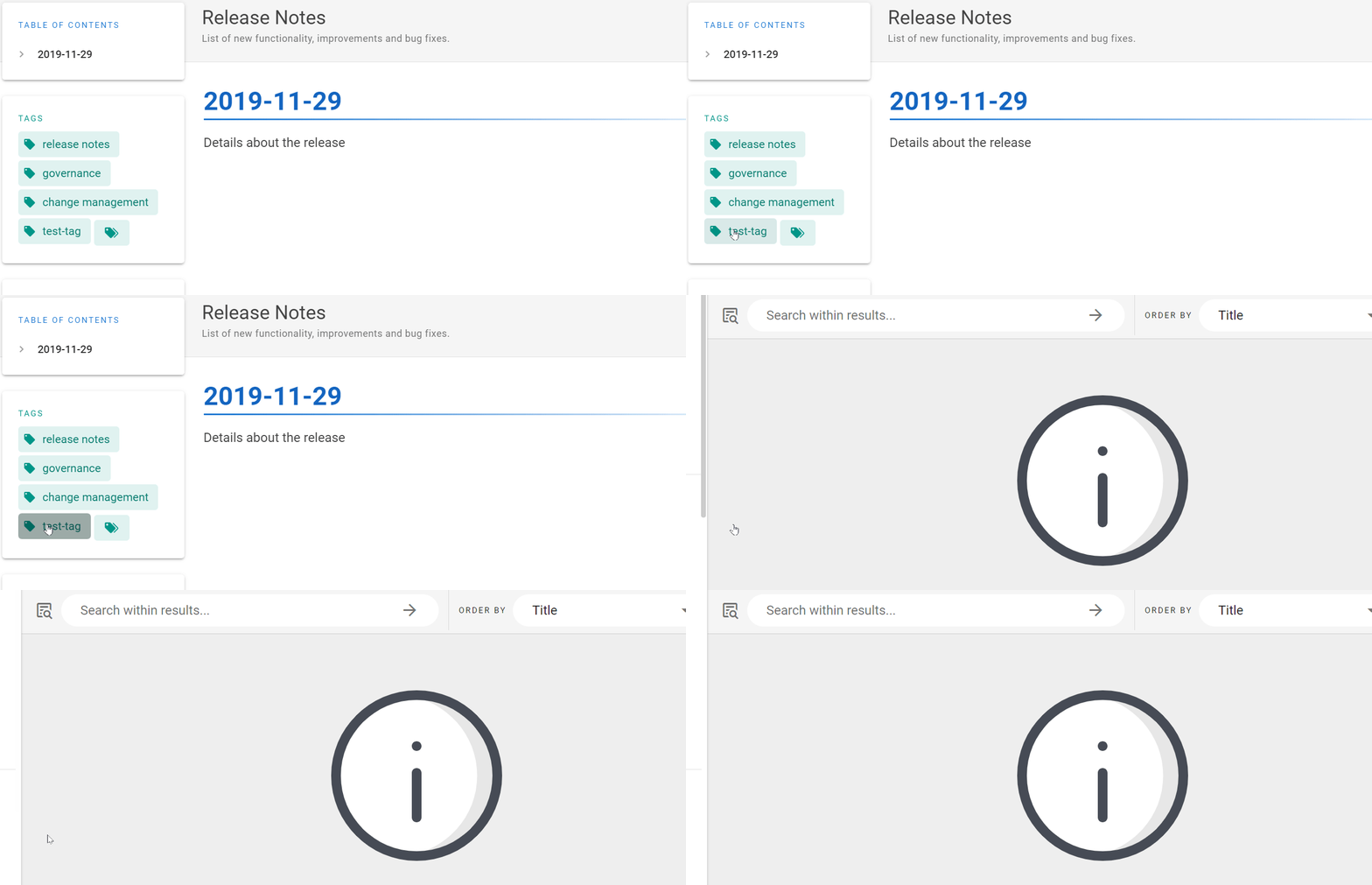
I previously deleted the tag "test-tag" and it shows on this test page. Clicking shows it is not found
Host Info (please complete the following information):
Additional context
Editing any page and saving removes the tag but this would be difficult if a tag is used on several pages.
@NGPixel commented on GitHub (Feb 15, 2020):
As a workaround, you can flush the cache from Admin > Utilities > Flush Cache > Flush Pages and Assets Cache